Associate III
March 12, 2025
Solved

how to create the roll wheel to switch the image within the same window ?

  • March 12, 2025
  • 1 reply
  • 1054 views

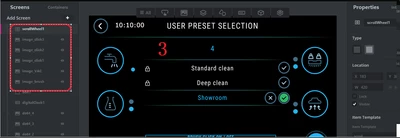
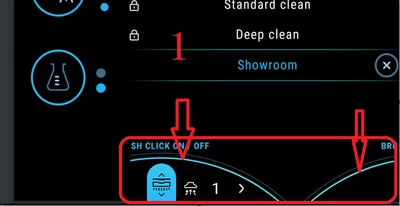
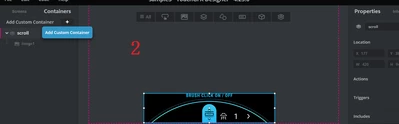
hello, i want to switch 5 images within the same window as following picture illustration; could you have any sample to me for reference ?


miker_0-1741763306209.png

miker_1-1741763379768.png

miker_2-1741763449323.png


Best answer by GaetanGodart

Your custom container have the elements "box1" and "image1".

But in your update item function you try to access an element called "item".

In the scrollList and scrollWheel we change the element "item" because in our custom container we have an element called that, but you, you probably want to change your box1 or image1.


The error message say that the bitmap doesn't exist.
The bitmaps have the name BITMAP_nameOfYourImageAssetInCapitalLetters.
So for instance if you have an image asset called "MyImage1", the bitmap will be called BITMAP_MYIMAGE1.


Regards,

1 reply

GaetanGodart
Technical Moderator
March 12, 2025

Hello @miker ,


Can you explain a bit more what you want to achieve?

Do you just want to show one image and then after some event (ex: button click or x time passed), you want to show another image instead of the first one?

Do you want to have a scrollable menu like on image one where we can see 2 small icons and you want to be able to move the focus? If so, you can look at the ScrollWheel example.

If it is something else, please explain it to me so I can give you an example or guide you on how to achieve the desired result.


Regards,

mikerAuthor
Associate III
March 13, 2025

my aim is that when i slide the area of red rectangle box with the STM32H747I-DISO's touch panel, the image of red rectangle box will be replaced by another image , now i need use the container of scroll wheel to do that and create a custom container template , how to come true this function or release similar sample to refer ?


miker_0-1741829945408.png


GaetanGodart
Technical Moderator
March 13, 2025

Hello @miker 


Ok so you have a scrollWheel (where we see "Standard clean", "Deep clean" and "Showroom") and an image below that.
You want to change the image below based on the currently selected item of the scollWheel?

This is exactly what we do in the "Scroll Wheel and List Example" that is available in the Designer :

GaetanGodart_0-1741854026559.png


When selecting ScrollWheel, we update the textArea in real time but you could replace the textArea by your images and use a switch case to setVisible the right image :

GaetanGodart_1-1741854210571.png

When you select the ScrollList, you see images instead of textArea (so this is what you want) but this time the image is only updated when you click on the item: 

GaetanGodart_2-1741854283001.png


Note that this difference in behavior is because we don't use the same callbacks for the ScrollWheel and for the ScrollList:

GaetanGodart_3-1741854353693.png

But you could have either behavior with the scrollList or the scrollWheel.


I hope this answers you question!
If it does, I invite you to select this comment as "best answer".


Regards,