

isikli
Associate II
January 21, 2026
Solved

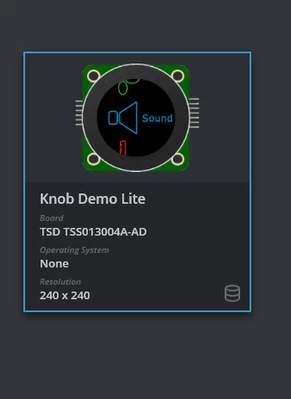
how to run tsd knob demo app
  • January 21, 2026
  • 2 replies
  • 484 views

isikli_0-1768992555932.png

isikli_1-1768992590159.png

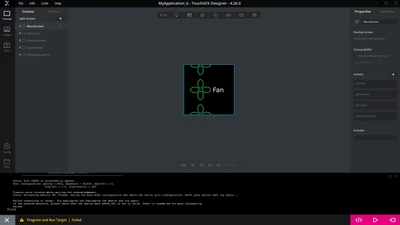
I am trying to run this demo, but I am receiving an error.
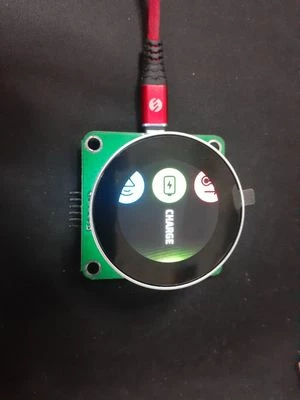
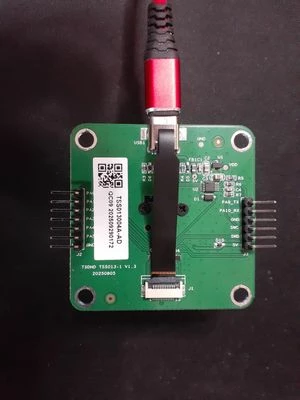
How should I program this board? Should I use an ST-LINK or a USB-to-TTL adapter, or is a direct USB Type-C connection sufficient? I am trying to program it via TouchGFX Designer. I have read the following guide, but I couldn't quite understand the process: https://www.st.com/resource/en/brochure/guide-how-to-get-started-with-tsd-knob-display-and-touchgfx.pdf"

Error message :

"Serial Port COM26 is successfully opened.
Port configuration: parity = even, baudrate = 921600, data-bit = 8,
tsd1.jpeg

tsd2.jpeg


stop-bit = 1.0, flow-control = off

Timeout error occured while waiting for acknowledgement.
Error: Activating device: KO. Please, verify the boot mode configuration and check the serial port configuration. Reset your device then try again...

Failed connecting to target. Try unplugging and replugging the device and try again.
If the problem persists, please check that the option byte nBOOT_SEL is set to false. Refer to readme.md for more information."
Best answer by isikli

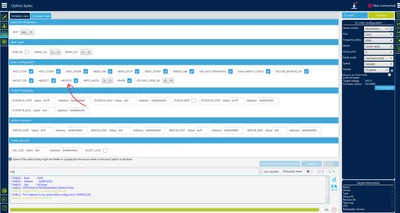
 I solved that problem. nBOOT1 option of some boards is selected as a default. I connected to board via st-link and disabled this configuration from options bytes.

isikli_0-1769000546645.png

Thus I able to programmed with TouchGFX. I guess should continually active-deactive this configuration. I needed to disabled again this configuration.

2 replies

Osman SOYKURT
Technical Moderator
January 21, 2026

Hello @isikli ,

We have made a step-by-step tutorial guide available in our TouchGFX academy website. There, we explain how to create and load an application for the TSD TSS013004A-AD display knob module. I invite you to look at it. If you still have issue with loading the board after, don't hesitate to reach out again in the community :)

Osman SOYKURTST Software Developer | TouchGFX
BenMack99
Associate III
February 16, 2026

Just clarifying for others - your tutorial recommends disabling nBOOT_SEL, not nBOOT1 as isikli suggested.

Disabling nBOOT_SEL worked for me (uses BOOT0 pin to run bootloader or app).

Disabling nBOOT1 lets the UART bootloader work, but then you have to re-enable it to run your app.

Worth noting that, contrary to your tutorial, the TSD module I received did NOT have nBOOT_SEL disabled - I had to connect an ST-link to it, to change the setting, before I could program via UART

isikli
isikliAuthorBest answer
Associate II
January 21, 2026

 I solved that problem. nBOOT1 option of some boards is selected as a default. I connected to board via st-link and disabled this configuration from options bytes.

isikli_0-1769000546645.png

Thus I able to programmed with TouchGFX. I guess should continually active-deactive this configuration. I needed to disabled again this configuration.