Issues with STM32H750B-DK Board Bring Up For TouchGFX
Hello awesome people of the STM community!
I'm working on a GUI project for the STM32H750B-DK, currently following the board bring up steps. I know that I could just use the generated code by TouchGFX template for the STM32H750B-DK. However, I have a few reasons for avoiding this:
- Being an engineering student I want to learn as much as I can form this project, by doing board bring up I can learn more step by step then just pressing a button and have it magically work (though magically work is getting more and more appealing) .
- The GUI is only one aspect of the project, I want to have accesses to a debugger in my preferred IDE (CLion) and not be reliant on constantly uploading through TouchGFX. I would much rather finish the GUI and upload the assets to external flash then just work in internal flash for the remainder of the project.
- I want to get the skills to do a board bring up for when I need a GUI for a custom board.
- Again being a mere engineering student I don't want to jump in the deep end with all the more sophisticated things that TouchGFX will generate, while I have used FreeRTOS before I would rather get TouchGFX working without an RTOS then move to using one later.
Bellow is my process so far
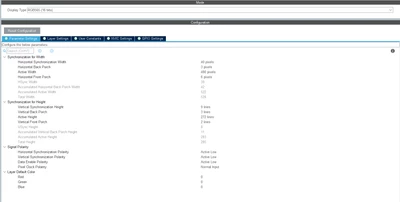
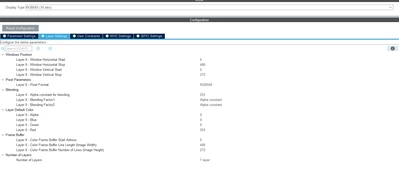
This was copied from the TouchGFX Generated .ioc so i would not expect any problems here, I think the only thing I changed was the layer background color. However, the datasheet for the display driver OTA5180A has slightly different values for the timings in section 10.1.1, or am I miss reading something? Most notably the horizontal back porch is set to 3 while the minimum specified in the datasheet is 8. So I'm not sure I understand the functions of these values or how they are calculated, all I think I know is they have some effect on the frame rate. Then in the firmware I add all appropriate code as listed in the TouchGFX board bring up documentation.
However, the screen stays white, don't even get the background color, I have used CLions memory viewer to make sure that the frame buffer is getting filled which it is. So my best guess is that the LTDC pointer to the framebuffer it is not getting set correctlly but I'm unsure how to check this or fix it. As I mentioned above I'm also getting some strange framerates.
Problem #2
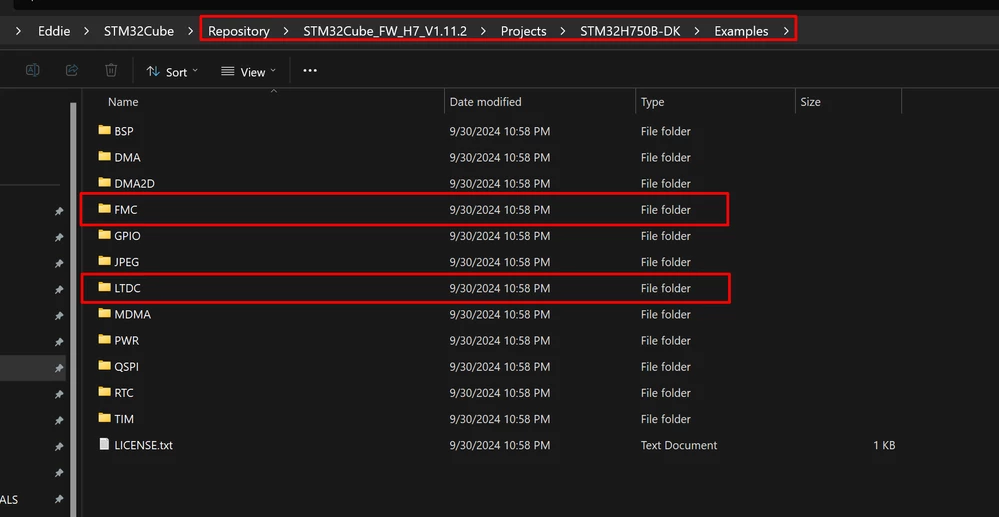
Having been stuck with problem #1 for a few hours I decided to to try load the frame buffer in external RAM, that also did not work. I have an even smaller understanding of the FMC then the LTDC. I set it up with the values used in the GFX generated .ioc plus set up the block in the memory management tool but my debugger was unable to access the location, nor was code able to interact with the memory location without a hard fault.
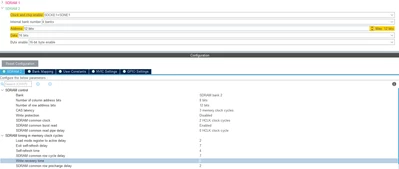
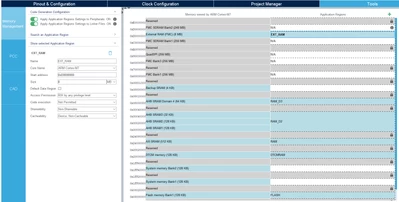
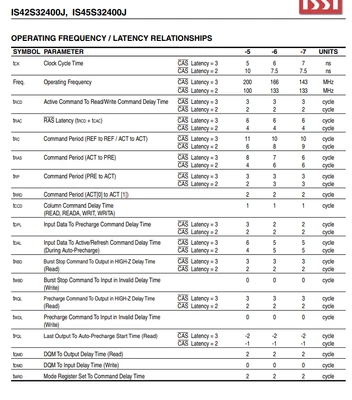
My guess here is timing issues so I had a look at the datasheet (IS42S32400J-6B) and MX example, the only thing that stood out to me was that the Write Recovery timings were different, but in a way that cubeMX says is incorrect.
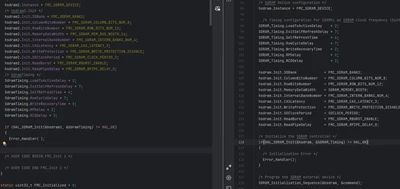
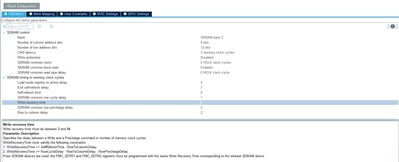
CubeMX says that RowCycleDelay - RowToColumnDelay - RowPrechargeDelay <= WriteRecoveryTime, however the example provided by CubeMX does not respect that, unless I've made a mistake somewhere? I've looked at the timings in datasheet for the IS42S32400J-6B. Those timings confused me even more, I'm unsure what some of the timing parameters are because they use slightly different names.