

Arthur_UW
Associate II
August 16, 2024
Solved

scroll list lagging problem when switch between items

  • August 16, 2024
  • 2 replies
  • 2440 views

Hi, 

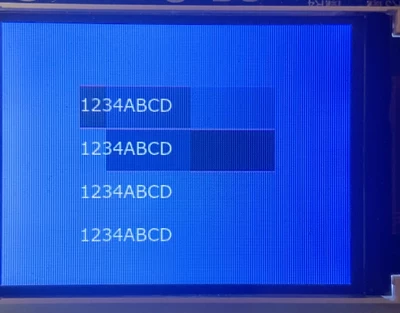
I have a problem when using scroll list as a menu list. I have a custom container( a textArea and a background image) for this scroll list. It works good but this lagging problem. 

I'm running on NucleoG071RB + X-NUCLEO-GFX01M2, I know this resources are quite limited in this board. I tried to make the background as a 200*4pix thin line, still has this lagging problem.

Any thoughts? thanks in advance.
Arthur_UW_0-1723778220504.png

What I haved tried:
1- make the background as small as possible (not working)

2- setAnimationSteps(0), (not working, not related to this problem)

I uploaded a video to make it easy to get the intuition of this problem.


Best answer by Mohammad MORADI ESFAHANIASL

Hey @Arthur_UW,

I think if you manually change the selected item instead of using animateToItem(), you will be able to get better performance. I created a simple example to showcase what I mean, Keep in mind, it is not a perfect solution at all; it is just for demonstrating the idea of not using animateToItem.

I checked the performance on NUCLEO-G071RB + GFX01M2 and it looks acceptable.

I hope it can help you achieve what you are looking for!

2 replies

ST Employee
August 16, 2024

Hello @Arthur_UW,

As you mentioned, the NUCLEO G071RB is not strongest board available. However, I think there are a couple of tricks to use to help you achieve what you need.
Instead of using Scroll List and animating your background, use Scroll Wheel that supports a template for the selected item.

You can take a look at TouchGFX Demo 5, in the language selection screen, you can see how it scroll wheel is used.

TouchGFX Demo 5TouchGFX Demo 5

I hope this helps you. Let me know if you have more questions.

Arthur_UW
Arthur_UWAuthor
Associate II
August 24, 2024

Thanks for this reply!

Sorry for being away, I was working on other parts of my project and I just turn back to this.


I was trying to get this effect (from Karan 123 's post ) , I followed this post.

Arthur_UW_0-1724527783866.png

I've tried 'scroll wheel' but I don't get the similar  animateToItem  function in scroll wheel, where in scroll wheel, the highlighted item goes to the highlighted box (position), which is not suitable for menu application.

I could be wrong about the scroll wheel on whether it can achieve the effect as shown above. 

Arthur_UW
Arthur_UWAuthor
Associate II
August 24, 2024

I did a test on my previous scroll list example, I pushed the 'down' button three times quickly in 0.7s and captured this waveform: 

Arthur_UW_0-1724528582933.png

Zoom in: 

Arthur_UW_1-1724528724404.png

(ch0 is 1ms systick, 1~4 are following nucleo's settings :
Performance testing can be done using the GPIO pins designated with the following signals:
- VSYNC_FREQ - Pin PD9(CN10 - PIN 38)Pin is toggled at each VSYNC
- RENDER_TIME - Pin PD8(CN10 - PIN 36)Pin is high when frame rendering begins, low when finished
- FRAME_RATE - Pin PC5(CN10 - PIN 37)Pin is toggled when the frame buffers are swapped.
- MCU_ACTIVE - Pin PC4(CN10 - PIN 35)Pin is high when framework is utilizing the MCU.

)

My code was:

void Screen1View::key_down(){
	if(current_selected_index >=6){
		current_selected_index = 6;
	}else{
		current_selected_index++;
	}

	scrollList1.animateToItem(current_selected_index);
	switch_to_new_selected_item(); //hide previous item's background and show new item's background.
}

From the waveform above, I can see the animation was done in a single cycle which max out the rendering time, causing the lagging effect.


I am thinking, I only changed 1/10 of the screen, which is way less than the band and cpu capability. Is there any setting I can use to fix this? I've tried this below but it did not work at all.

scrollList1.setAnimationSteps(0);//set 0 to disable moving animation, default=30, which is slow to eyes.


ST Employee
August 29, 2024

Hey @Arthur_UW,

I think if you manually change the selected item instead of using animateToItem(), you will be able to get better performance. I created a simple example to showcase what I mean, Keep in mind, it is not a perfect solution at all; it is just for demonstrating the idea of not using animateToItem.

I checked the performance on NUCLEO-G071RB + GFX01M2 and it looks acceptable.

I hope it can help you achieve what you are looking for!

Arthur_UW
Arthur_UWAuthor
Associate II
September 1, 2024

Good, I flashed and tested the effect, and I think it's very good.

Arthur_UW_0-1725162579401.png