

AMend.7
Associate III
March 24, 2024
Solved

TouchGFX image background for text

  • March 24, 2024
  • 1 reply
  • 1007 views

Hi,

I was following the video in the link https://www.youtube.com/watch?v=vy1c1LbypuM on how to make the screen below, but the video uses version 4.18.0. I need to figure out how to make the background for the text using the current version. 

screen.png


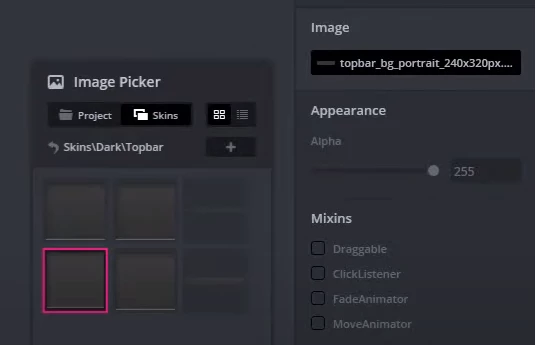
In version 4.18, the procedure corresponding to the figure below was used. Is there an equivalent procedure in version 4.22.1?
 

image_picker.png


This topic has been closed for replies.
Best answer by GaetanGodart

Hello @AMend.7 ,


Indeed there is an equivalent.
We replaced the "Skins" with the "TouchGFX stocks".

There is something similar.
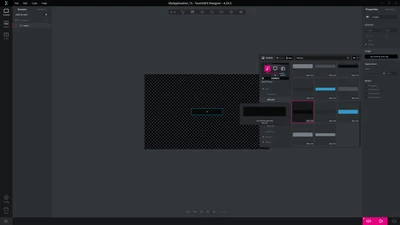
You can add an image, then click on the image selection on the properties on the left., then click on stock, then "bars" and here I was able to find multiple long rectangles such as the one bellow.

GaetanGodart_0-1711449173868.png


If this comment solves your problem, please select it as "Best answer" so that other people encountering the same issue can get to the answer quickly I so that I can close this thread .


Regards,


1 reply

GaetanGodart
GaetanGodartBest answer
Technical Moderator
March 26, 2024

Hello @AMend.7 ,


Indeed there is an equivalent.
We replaced the "Skins" with the "TouchGFX stocks".

There is something similar.
You can add an image, then click on the image selection on the properties on the left., then click on stock, then "bars" and here I was able to find multiple long rectangles such as the one bellow.

GaetanGodart_0-1711449173868.png


If this comment solves your problem, please select it as "Best answer" so that other people encountering the same issue can get to the answer quickly I so that I can close this thread .


Regards,