Associate II
January 28, 2025
Solved

TouchGFX Simulator not working but not giving any errors

  • January 28, 2025
  • 10 replies
  • 1908 views

TouchGFX Simulator is not working and it doesn't give any error while creating code or running the simulator. 

I created a new project I didn't even choose a board I tried it with the "Simulator"

I want to try some ui designs in TouchGFX. I created a new project in Simulator type:
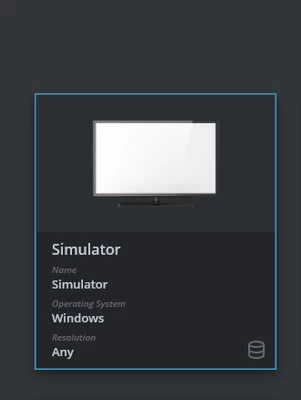
barisubasi_0-1738067612062.png


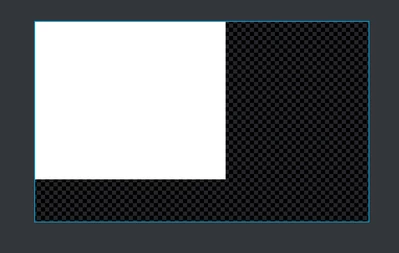
I just added a white box:

barisubasi_1-1738067648098.png


I generated code:


Generate Code
 Generate
 Wrote generated/gui_generated/include/gui_generated/screen1_screen/Screen1ViewBase.hpp
 Wrote generated/gui_generated/src/screen1_screen/Screen1ViewBase.cpp
 Done
 Generate Assets
 make -f simulator/gcc/Makefile assets -j8
 Done
 Post Generate
 touchgfx update_project --project-file=simulator/msvs/Application.vcxproj
 Done
 Done
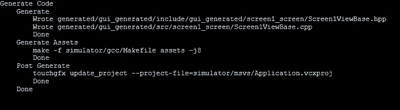


barisubasi_2-1738067679171.png


I clicked "Run Simulator":


Run Simulator
 Generate
 Done
 Generate Assets
 make -f simulator/gcc/Makefile assets -j8
 Done
 Post Generate
 touchgfx update_project --project-file=simulator/msvs/Application.vcxproj
 Done
 Compile
 make -f simulator/gcc/Makefile -j8
 Done
 Run
 build\bin\simulator.exe
 Done
 Done
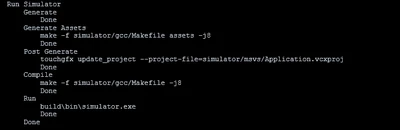


barisubasi_3-1738067746057.png


I tried to search for simulator.exe file in my project directory, but the file is not exist. I'm using 4.24.2 version now. 

Since there is no error. I'm lost on debugging. Thx for help.

Best answer by barisubasi

I literally resetted the whole computer just to fix this...

And yes it works now. I do not know why that issue happened but after computer reset and re-installing TouchGFX Designer and Microsoft Visual C++ Redistributable Version from this link : https://learn.microsoft.com/en-us/cpp/windows/latest-supported-vc-redist?view=msvc-170

it works now. Thanks for helping!

10 replies

jumman_JHINGA
Senior III
January 28, 2025

Can you Explain your issue in detail?

Associate II
January 28, 2025

Of course. I want to try some ui designs in TouchGFX. I created a new project in Simulator type:

barisubasi_0-1738067612062.png


I just added a white box:

barisubasi_1-1738067648098.png


I generated code:

Generate Code
 Generate
 Wrote generated/gui_generated/include/gui_generated/screen1_screen/Screen1ViewBase.hpp
 Wrote generated/gui_generated/src/screen1_screen/Screen1ViewBase.cpp
 Done
 Generate Assets
 make -f simulator/gcc/Makefile assets -j8
 Done
 Post Generate
 touchgfx update_project --project-file=simulator/msvs/Application.vcxproj
 Done
 Done

barisubasi_2-1738067679171.png


I clicked "Run Simulator":

Run Simulator
 Generate
 Done
 Generate Assets
 make -f simulator/gcc/Makefile assets -j8
 Done
 Post Generate
 touchgfx update_project --project-file=simulator/msvs/Application.vcxproj
 Done
 Compile
 make -f simulator/gcc/Makefile -j8
 Done
 Run
 build\bin\simulator.exe
 Done
 Done

barisubasi_3-1738067746057.png


I tried to search for simulator.exe file in my project directory, but the file is not exist. I'm using 4.24.2 version now. 

Since there is no error. I'm lost on debugging. Thx for help.

jumman_JHINGA
Senior III
January 29, 2025

hii @barisubasi  i created same simmulation as you tried.


1. i created project : i selected simulator and clicked on creat button.

1st.PNG


2. i created gui box:

2nd.PNG


3. i generated and clicked on run simulator button. and then simulator screen popuped:

3rd.PNG

so this way you can  simulate GUI on touchgfx. on clicking on RUN button you wont get any kindof exe file.

Associate II
January 29, 2025

Did the same thing. It didn't worked. I opened TouchGFX 4.22.1 Environment and tried the same commands in the output in Designer and it worked. But the commands are not working in the Designer. Also it doesn't give any errors at all...

jumman_JHINGA
Senior III
January 29, 2025

then uninstall TouchGFX and try latest version 

Associate II
January 29, 2025

already did many times.

ST Employee
January 29, 2025

Hello @barisubasi,

Running the simulator never worked or it worked at some point and stopped working ?

Best regards,

Associate II
January 30, 2025

I was using it. I think the issue started after I updated the app.

Lead II
January 29, 2025

Works fine here with version 4.24.1 in Windows 11.

  1. Create project, I named it community_test
  2. create white box
  3. click Run

Project runs in popup.
It also creates an exe file: C:\TouchGFXProjects\community_test\build\bin\simulator.exe

You can try installing the latest VC++ redistributable:

https://learn.microsoft.com/en-us/cpp/windows/latest-supported-vc-redist?view=msvc-170


"Kudo posts if you have the same problem and kudo replies if the solution works.Click ""Accept as Solution"" if a reply solved your problem. If no solution was posted please answer with your own."
Associate II
January 30, 2025

Already did the updates. I tried the commands in TouchGFX Enviroment and the commands worked perfectly. But they are not working nor giving error in Designer...


I'm using build commands as defaults. I didn't  change anything in configurations.

Lead II
January 30, 2025

There must be something different on your system.Do you have a virus scanner active? It might block the simulator.
If all else fails you can try installing TouchGFX in a virtual machine as a workaround.

"Kudo posts if you have the same problem and kudo replies if the solution works.Click ""Accept as Solution"" if a reply solved your problem. If no solution was posted please answer with your own."
barisubasiAuthorBest answer
Associate II
January 30, 2025

I literally resetted the whole computer just to fix this...

And yes it works now. I do not know why that issue happened but after computer reset and re-installing TouchGFX Designer and Microsoft Visual C++ Redistributable Version from this link : https://learn.microsoft.com/en-us/cpp/windows/latest-supported-vc-redist?view=msvc-170

it works now. Thanks for helping!

Lead II
January 31, 2025

@barisubasi wrote:

I literally resetted the whole computer just to fix this...


Reset as in reboot or reset as in Fresh install of windows?

"Kudo posts if you have the same problem and kudo replies if the solution works.Click ""Accept as Solution"" if a reply solved your problem. If no solution was posted please answer with your own."
Associate II
February 3, 2025

fresh install of windows.  resetted everything. installed touchgfx again