Associate
February 5, 2025
Solved

TouchGFXDesigner cannot run target

  • February 5, 2025
  • 1 reply
  • 481 views

1. Developing tools directories as this:

D:\ProgramData\STMicroelectronics\STM32Cube\STM32CubeMX
D:\ProgramData\STMicroelectronics\STM32Cube\STM32CubeProgrammer
D:\ProgramData\STMicroelectronics\TouchGFX\4.24.2\

2. ST link drivers are installed well.(because code can be compiled and downloaded via usb ST-link)

3. Hardware is STM32U5A9J-DK.

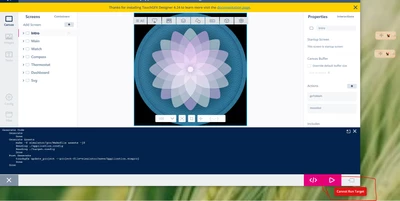
4. TouchGFX Designer demo is TouchGFX Demo6. Run simulator is OK.
demo6.PNG

target.PNG

My question is:

   I want to run this demo on STM32U5A9J-DK, but the run button can not work and display 'Cannot Run Target'.

   which procedure is wrong? Or is there any guidance to solve this problem?
 

Best answer by mƎALLEm

Hello,

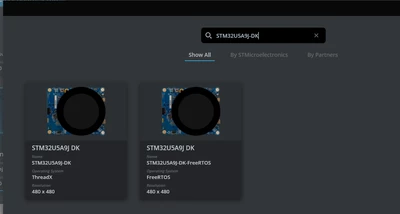
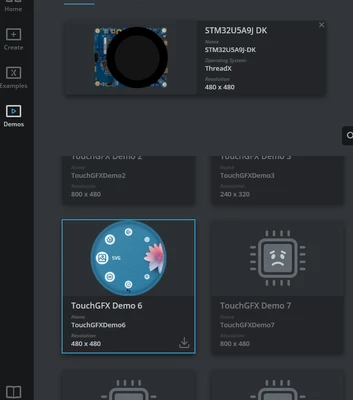
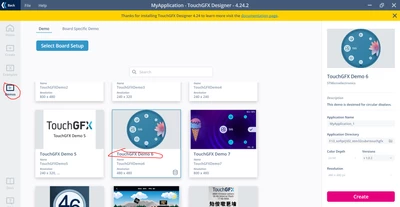
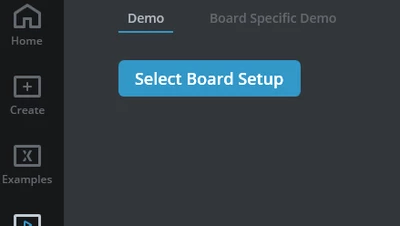
Did you select first the board STM32U5A9J-DK in the Board setup before creating the demo?

SofLit_0-1738774339949.png

SofLit_1-1738774394632.png

SofLit_2-1738774454755.png


1 reply

mƎALLEm
mƎALLEmBest answer
Technical Moderator
February 5, 2025

Hello,

Did you select first the board STM32U5A9J-DK in the Board setup before creating the demo?

SofLit_0-1738774339949.png

SofLit_1-1738774394632.png

SofLit_2-1738774454755.png


"To give better visibility on the answered topics, please click on ""Accept as Solution"" on the reply which solved your issue or answered your question."
rhine1012Author
Associate
February 6, 2025

It works,thank you!