Solved
Update a text area with a string and sting has \n newline char
I am trying to update a text area called textTestArea with a string and I want to be able to format the string with a newline character. Ex "I went to the store \n to buy food"
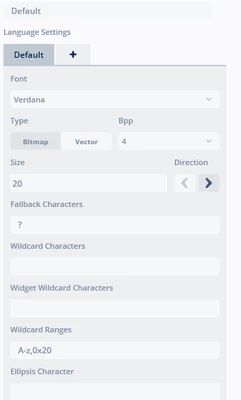
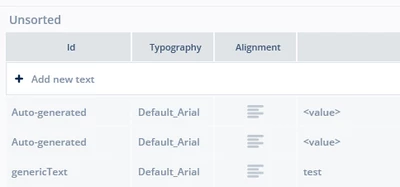
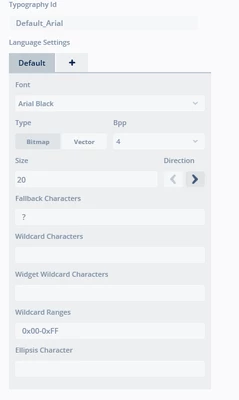
I created a texts called genericText that uses a default font that has wildcard range 0x00-0xFF , I also tried having range 0x20-0x7e and wildcard character 0x0A (/n)
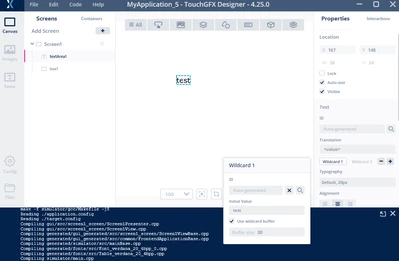
here is the text and typography:
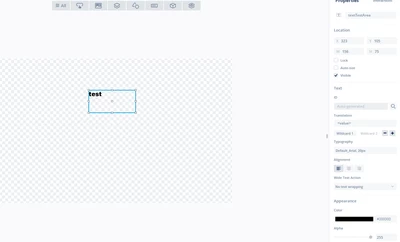
Here is the screen with text area:
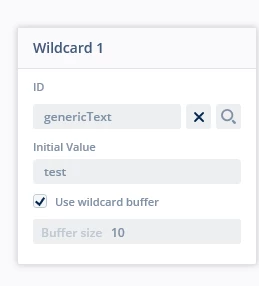
in baseview.cpp it creates:
 textTestArea.setPosition(397, 26, 237, 55);
 textTestArea.setColor(touchgfx::Color::getColorFromRGB(0, 0, 0));
 textTestArea.setLinespacing(0);
 Unicode::snprintf(textTestAreaBuffer, TEXTTESTAREA_SIZE, "%s", touchgfx::TypedText(T_GENERICTEXT).getText());
 textTestArea.setWildcard(textTestAreaBuffer);
 textTestArea.setTypedText(touchgfx::TypedText(T___SINGLEUSE_E1ZC));
 add(textTestArea);
So now in my view.cpp:
	static const uint16_t TEXTBUFFER_SIZE = 64;
			Unicode::UnicodeChar textBuffer[TEXTBUFFER_SIZE];


		Unicode::snprintf(textBuffer, TEXTBUFFER_SIZE, "I went to store \n to but food");

		textTestArea.setTypedText(TypedText(T___SINGLEUSE_81C4)); // Must match your Texts View ID
		textTestArea.setWildcard(textBuffer);
		textTestArea.setWideTextAction(WIDE_TEXT_WORDWRAP);
		textTestArea.resizeToCurrentText();
		textTestArea.invalidate();
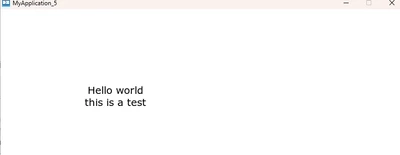
I get "test" Not I went to the store....
I have tried 100 iterations. I have gotten it to print "I went to the store \n to buy food", but can not get it to acknowledge the \n character.
How is this implemented correctly?