ABURM
Associate III
June 5, 2024
Question

Video decoding for STM32H7B3L.

  • June 5, 2024
  • 1 reply
  • 4549 views

Hi.

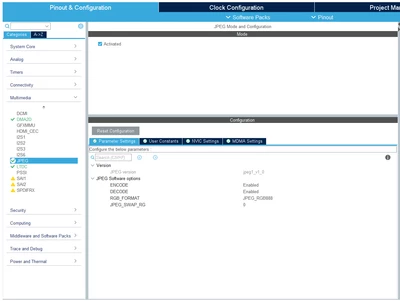
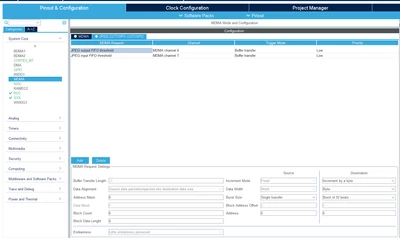
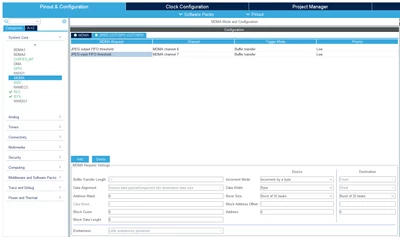
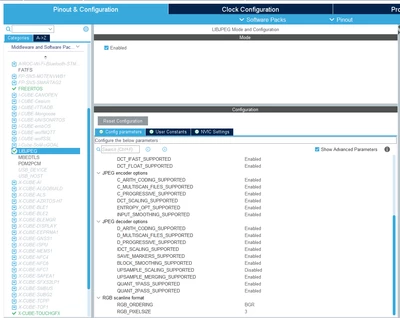
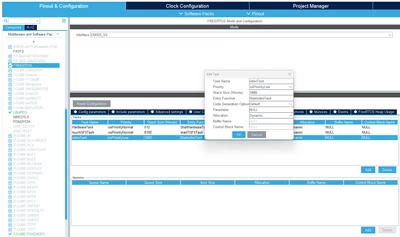
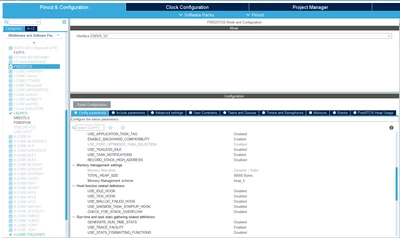
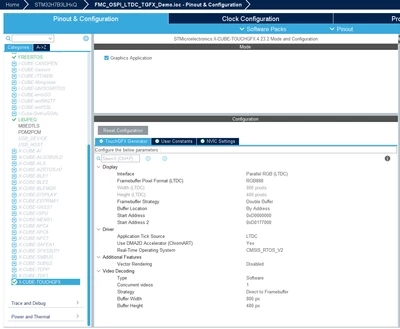
I am using SDRAM, OctoSPI and 24bit RGB888 TFT screen. Project is working normally with another widgets (button, shape, text area, image etc.). Now i want to use video decoding and video widget. I made the necessary cubemx settings by reading the Video decoding. application steps. As a trial, I prepared a project consisting of 4 images and one video (sample video in touchgfx) in touchgfx. There are 5 screens in the project. Screen1, screen2, screen3, screen4 and screen5. I play the video after showing the images at 2-second intervals. The video widget is in the 5th screen. The program works properly until the 4th screen. But when it comes to the part of playing the video, it going to the "hardfault" procedure. I think I'm making a mistake with the memory settings. Cubemx settings are as follows;
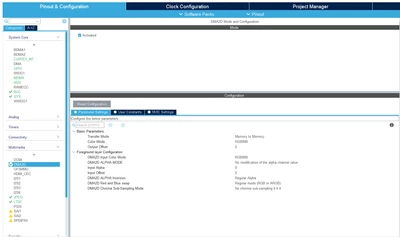
DMA2DDMA2DJPEGJPEGJPEG-MDMAJPEG-MDMAJPEG-MDMAJPEG-MDMALIBJPEGLIBJPEGRTOS-TASKRTOS-TASKRTOS-HEAPRTOS-HEAPTouchGfxTouchGfx

I added the following code in STM32H7B3LIHXQ_FLASH.ld.

MEMORY
{
 ...
 SDRAM (xrw) : ORIGIN = 0xD0200000, LENGTH = 8M
}

BufferSection (NOLOAD) :
{
 *(Video_RGB_Buffer Video_RGB_Buffer.*)
 *(.gnu.linkonce.r.*)
 . = ALIGN(0x4);
} >SDRAM

Where am i making a mistake?

1 reply

ABURM
ABURMAuthor
Associate III
June 6, 2024

Hi.

After many tries I finally got it to work. But there are a few problems.  I made the necessary rtos settings but video decoding strategy does not work in single or double buffer mode. Also, I cannot use video decoding type as hardware. It only works in "software - direct to framebuffer" mode.

I want to use "hardware - double buffer" for better performance but not working. When I select hardware mode, no image appears on the screen (white screen). Program is not working. I am using "double buffer" for frame buffer strategy in display configuration. Start address ==> 0xD0000000000 and Start address 2 => 0xD0119400. How do single and double buffer modes work for video decoding? How do I use video decoding in hardware mode? I read the application notes and training documents, but I did not fully understand it. 

Does anyone have information on this subject?

ST Employee
June 28, 2024

Hello @ABURM ,

Sorry for the late answer. 
Video decoding is already enabled for the STM32H7B3I-DK Board Setup that is available in the TouchGFX designer. It uses double framebuffer but "Single Buffer" for decoding videos using hardware components.

STM32H7B3I DK Board SetupSTM32H7B3I DK Board Setup

You can draw inspiration from that project. Additionally, I suggest reading the latest version of the documentation that is available here. Moreover, try to set the Buffer Location as "By Allocation" and place both TouchGFX_Framebuffer and Video_RGB_Buffer inside the SDRAM section. 
A comprehensive document about different video decoding strategies available here.

 I hope this helps you, don't hesitate to ask more questions!

ABURM
ABURMAuthor
Associate III
July 1, 2024

Hi Mohammad.

I am using custom board. I designed the PCB and schematics myself. I used the "STM32H7B3I-EVAL" board as a reference. I solved the hardware video decoding problem. However, I still cannot run it in single and double buffer mode. It only works in "direct to framebuffer" mode. You can see how I did it in the following link.

Hardware decoding. 

If you have any suggestions regarding this problem, I would like to hear it.

Thank you for your support.