

Shaawaiz
Associate
April 7, 2026
Solved

IPCC option not available in STMcube for wireless communication

  • April 7, 2026
  • 1 reply
  • 166 views

hello everyone,

i am a beginner in STM32cube. i was working on board Nucleo wb55rg. and following this tutorial 

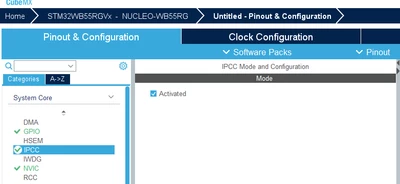
STM32WB Getting Started Series: Part 12a, STM32CubeMX & STM32CubeIDE lab. Introduction, and it said on 2:33 that i need to activate "system core>IPCC and enable both interrupt". i am using STM32CubeIDE 1.5.0 and it does not show IPCC option on it .
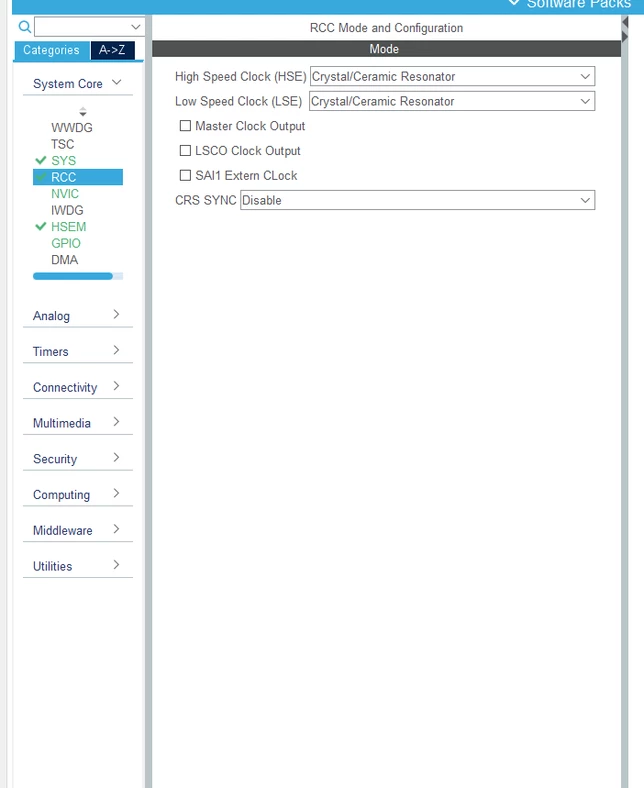
temp.png
 

any help and guidance is appreciated,

thank you
Best answer by Imen.D

Hello @Shaawaiz and welcome to the Community,

You are using an older version of STM32CubeMX.

Please make sure to update and use the latest release of STM32CubeMX v6.17.0.

Thanks to keep me informed about your update.

IPCC.png

1 reply

Imen.DBest answer
Technical Moderator
April 7, 2026

Hello @Shaawaiz and welcome to the Community,

You are using an older version of STM32CubeMX.

Please make sure to update and use the latest release of STM32CubeMX v6.17.0.

Thanks to keep me informed about your update.

IPCC.png

"When your question is answered, please close this topic by clicking ""Accept as Solution"".ThanksImen"
Shaawaiz
ShaawaizAuthor
Associate
April 8, 2026

 thank you so much for the help. that was the case. just one correction: earlier i was not using STM32CumeMX, i was using STM32CubeIDE. the issue got fixed when i used STM32CubeMX version 6.8.1. thank you so for your help :)

Technical Moderator
April 8, 2026

Hi @Shaawaiz ,

Glad to hear that it worked.

For your information : STM32CubeIDE is an environment for editing, compiling, and debugging. The old version that you are using is integrating part of STM32CubeMX graphical tool that simplifies the configuration of STM32 products,

With the new and latest version of STM32CubeIDE 2.0.0, STM32CubeMX is no longer integrated within STM32CubeIDE, it is now available exclusively as a standalone tool: What’s new in STM32CubeIDE 2.0.0.


"When your question is answered, please close this topic by clicking ""Accept as Solution"".ThanksImen"