
Associate II
September 28, 2024
Question

STM32WBxx Cannot flash a wireless coprocessor binary

  • September 28, 2024
  • 1 reply
  • 1346 views

Hi, 

I am currently working with the STM32WB Nucleo Boards. I wanted to flash the stm32wb5x_Zigbee_FFD_fw.bin on the Dongle. However, when I start the firmware update, this message appears:
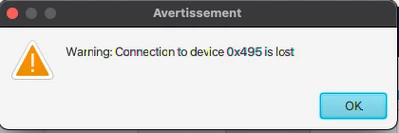
maestrmx19_1-1727510872100.png

Here the firmware upgrade service window:
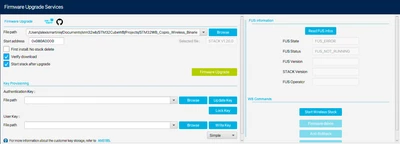
maestrmx19_0-1727510823216.png

Does anyone know a solution to that issue?

Best Regards

1 reply

STTwo-32
Technical Moderator
October 4, 2024

Hello @maestrmx19 

Could you please share the content of your option bytes. Also, please give me the procedure that you have been following to download your Stack binary (mention the version of the CubeWB version that you have used and the Cube Programmer that you are using).

Best Regards.

STTwo-32

Associate II
October 4, 2024

Hello @STTwo-32 ,

For downloading the Stack library I used :

git clone --recursive https://github.com/STMicroelectronics/STM32CubeWB.git
And I used the Stacks located in: Projects/STM32WB_Copro_Wireless_Binaries/STM32WB5x/
- Cube Programmer version: v2.17.0
- CubeWb version: v1.20.0
 
Option bytes: RDP : AA
                      BOR_LEV : 0 
maestrmx19_0-1728038731544.pngmaestrmx19_1-1728038760857.png

The procedure I have been using: 

After putting the Dongle switch to BOOT0 I connect it to the Cube programmer with USB.

And in the Firmware Upgrade Services tab I juste put my Stack's file path and click on Firmware Upgrade.


I hope my explanation was clear enough :) .

Best Regards.

maestrmx19

STTwo-32
Technical Moderator
October 18, 2024

Hello @maestrmx19 

Please add all your option bytes output here. Also, take a deep look to this wiki page. It should be really helpful.

Best Regards.

STTwo-32