
Camera feed fails to load when starting AI demo apps on STM32MP157F-EV1
Hi,
I was using an STM32MP157F-EV1 evaluation kit and followed the instructions mentioned in https://wiki.st.com/stm32mpu/wiki/X-LINUX-AI_Starter_package#Configure_the_AI_OpenSTLinux_package_repository and installed the AI OpenSTLinux package. I then proceeded to X-Linux-AI sample AI applications. The demos appeared on the onboard display on the evaluation kit.
I tried opening the applications using the touch interface as well as the command line. Example https://wiki.stmicroelectronics.cn/stm32mpu/wiki/TFLite_Cpp_object_detection
In both cases the application loads but there is not input from the onboard camera.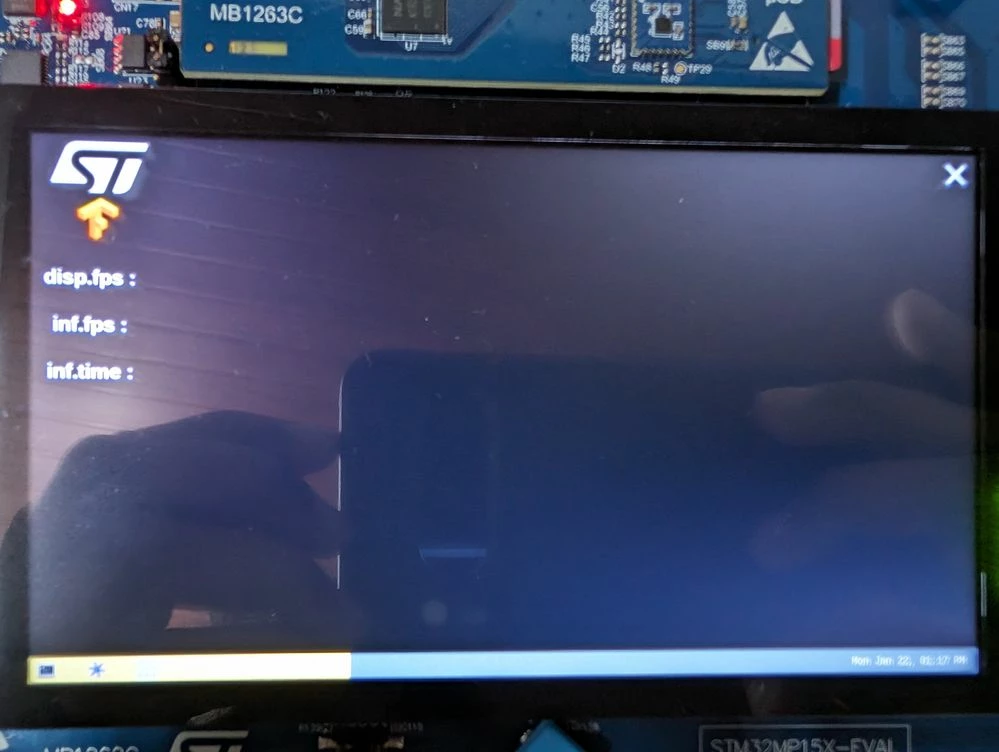
I tried copying some test images onto the testdata folder and running the application to detect the static images. This works fine.
The demo camera app on the demo launcher works fine as well. But none of the AI demo applications are able to use the stream from the camera.
Below are a few things I tried.
root@stm32mp1:~# /usr/local/demo-ai/computer-vision/tflite-object-detection/bin
/launch_bin_objdetect_tfl_coco_ssd_mobilenet.sh
machine used = stm32mp157
user : weston
model file set to: /usr/local/demo-ai/computer-vision/models/coco_ssd_mobilenet/detect.tflite
label file set to: /usr/local/demo-ai/computer-vision/models/coco_ssd_mobilenet/labels.txt
camera framerate set to: 15
camera frame width set to: 640
camera frame heightset to: 480
2 cpu core(s) available
Inference launched on CPU
Loaded model /usr/local/demo-ai/computer-vision/models/coco_ssd_mobilenet/detect.tflite
display resolution is : 720 x 1280
Display config <= 720p
video sink used : gtkwaylandsink
camera pipeline configuration : video/x-raw,width=640,height=480,framerate=15/1
Start Creating main GTK window
st and exit icons created
gst set pipeline playing state
Start Creating overlay GTK window
^C
Session terminated, terminating shell...Returned, stopping Gst pipeline
[ 2100.833775] stm32-dcmi 4c006000.dcmi: Some errors found while streaming: errors=49 (overrun=52), buffers=0
Deleting Gst pipeline
Application exited properly
...terminated.
root@stm32mp1:/usr/local/demo-ai/computer-vision/tflite-object-detection/bin# ./
objdetect_tfl_gst_gtk -m /usr/local/demo-ai/computer-vision/models/coco_ssd_mobi
lenet/detect.tflite -l /usr/local/demo-ai/computer-vision/models/coco_ssd_mobile
net/labels.txt
model file set to: /usr/local/demo-ai/computer-vision/models/coco_ssd_mobilenet/detect.tflite
label file set to: /usr/local/demo-ai/computer-vision/models/coco_ssd_mobilenet/labels.txt
2 cpu core(s) available
Inference launched on CPU
Loaded model /usr/local/demo-ai/computer-vision/models/coco_ssd_mobilenet/detect.tflite
display resolution is : 720 x 1280
Display config <= 720p
video sink used : gtkwaylandsink
camera pipeline configuration : video/x-raw,width=640,height=480,framerate=15/1
Start Creating main GTK window
st and exit icons created
gst set pipeline playing state
Start Creating overlay GTK window
^CReturned, stopping Gst pipeline
[ 2248.914460] stm32-dcmi 4c006000.dcmi: Some errors found while streaming: errors=66 (overrun=69), buffers=0
Deleting Gst pipeline
Application exited properly
In all these cases The display shows the same thing as shown in image above.
How do I get the app to work with the camera?