
How to play audio wav file and output through USB with headset?
Hi,
I am a new starter using STM32MPU257F.
I plug a headset into a USB port and use the below command to play an audio-only wav file.
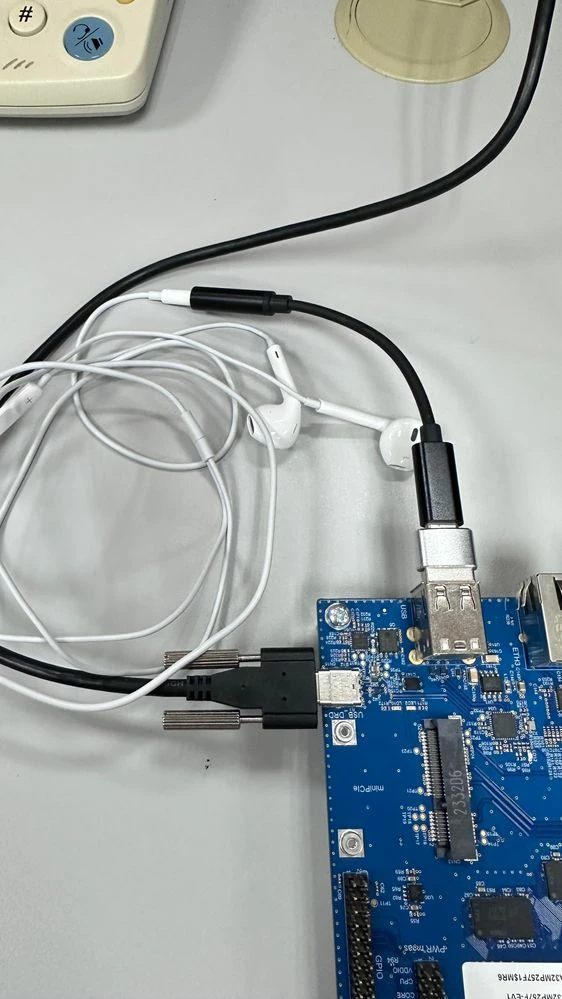
gst-play-1.0 audiofile.wav
the output log as below
=======================
[ 240.645711] usb 1-1.2: new full-speed USB device number 3 using ehci-platform
[ 240.864117] input: Synaptics Hi-Res Audio-BY as /devices/platform/soc@0/42080000.rifsc/42080000.rifsc:usb@482e0000/482f0000.usb/us1
[ 240.933975] hid-generic 0003:0572:1B08.0001: input: USB HID v1.11 Device [Synaptics Hi-Res Audio-BY] on usb-482f0000.usb-1.2/input3
root@stm32mp2:~# gst-play-1.0 file_example_WAV_2MG.wav
Press 'k' to see a list of keyboard shortcuts.
Now playing /home/root/file_example_WAV_2MG.wav
WARNING Failed to connect: Connection refused
WARNING debug information: /usr/src/debug/gstreamer1.0-plugins-good/1.22.6-r0/ext/pulse/pulsesink.c(616): gst_pulseringbuffer_open_dee
Redistribute latency...
0:00:11.9 / 0:00:11.9
Reached end of play list.
=======================
but I cannot hear any sound from the headset.
Is it possible to play audio through USB headset microphone?
Are there any settings or configurations required?
I also use the below command:
root@stm32mp2:~# aplay -l
aplay: device_list:274: no soundcards found...
Is it normal "no soundcards found..."?
root@stm32mp2:~# gst-play-1.0 --version
gst-play-1.0 version 1.22.6
GStreamer 1.22.6
Unknown package origin
thanks.
=============================================================
ID=openstlinux-weston
NAME="ST OpenSTLinux - Weston - (A Yocto Project Based Distro)"
VERSION="4.2.4-openstlinux-6.1-yocto-mickledore-mpu-v24.06.26 (mickledore)"
VERSION_ID=4.2.4-openstlinux-6.1-yocto-mickledore-mpu-v24.06.26
VERSION_CODENAME="mickledore"
PRETTY_NAME="ST OpenSTLinux - Weston - (A Yocto Project Based Distro) 4.2.4-openstlinux-6.1-yocto-mickledore-mpu-v24.06.26 (mickledor"