
Solved
Is it normal for the CubeMX tool (version 6.4.0 and 6.5.0) to suggest there are conflicts for many peripherals where none of these conflicts make sense ?
..

..
Stupid or not is a matter of taste. At least it is documented (User Guide Table 5) and can be learned. And using green, yellow and red is not so uncommon...
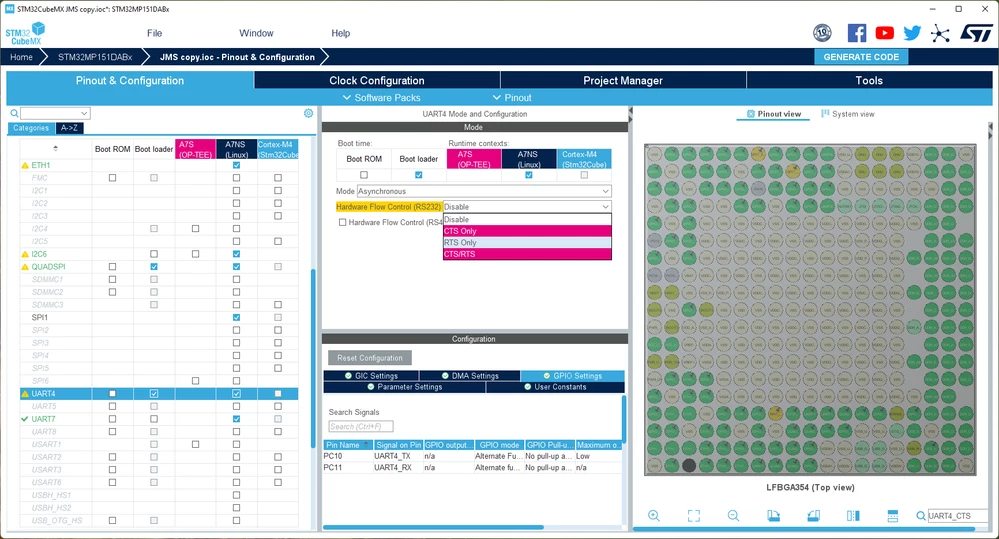 In your example, UART4 has a yellow mark because some possible configurations of UART4 will create conflicts. If you click on UART4, you see that configs with CTS enabled cannot be chosen (red) because the CTS pin is used by ETH1. If everything is configured, you can ignore the yellow signs. While configuring components, yellow signs show you what other components may be affected by using a particular pin/function.
hth
KnarfB
Enter your E-mail address. We'll send you an e-mail with instructions to reset your password.