Question
STM32MP257-EV1 in DFU mode
Hello,
How could STM32MP257-EV1 in DFU mode,
I have followed the steps of STM32MP25 Evaluation boards - Starter Package for Android - stm32mpu,
1. install SetupSTM32CubeProgrammer_win64.exe
2. Run the “STM32 Bootloader.bat”
3. Set the boot switches to the off position (boot from UART/USB).
4. Connect the USB type-C (OTG) port (4) to the host PC that contains the downloaded image.
5. Insert the delivered microSD card into the dedicated slot (5).
6. Connect the USB type-C (power supply) port (1) to the power connector or a host PC, and check the power jumper position.
7. Press the reset button (7) to reset the board.
but when I check device manager, nothing new shows up at all.
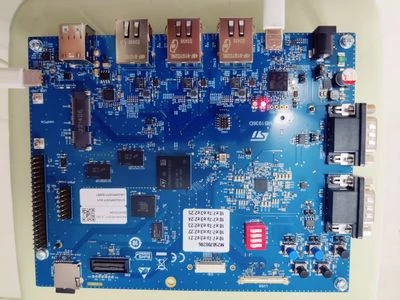
attached the picture of STM32MP257-EV1 powered on