Associate III
March 10, 2026
Question

STM32Cube Debug Jlink GDB Server V1.2.0 is not starting GDB Server

  • March 10, 2026
  • 1 reply
  • 467 views

Hello,

With the new STM32Cube Debug Jlink GDB Server V1.2.0 I'm not anymore able to start the debugging session. If I downgrade to V1.1.0 then it is working again. I get always the error message "No GDB Server running". I tried that with my old launch.json settings and with the new generated and adapted json settings.

  • Do I miss some special settings or has the new extension a bug?
  • Or do i need any dependency?


error message:
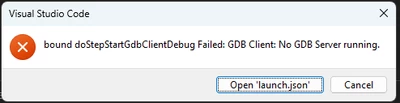
vs-code_error.png

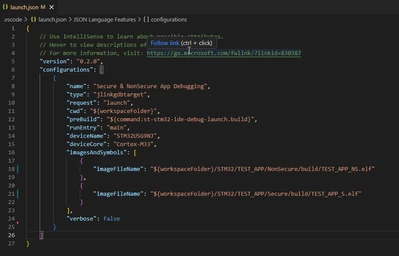
old launch.json

oldDebugSettings.png

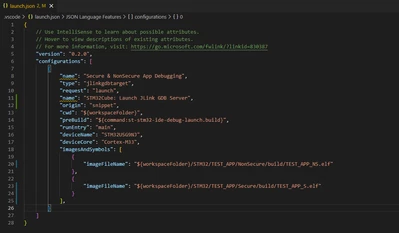
new launch.json

newDebugSettings.png


Thanks in advance,
nobody


1 reply

Nawres GHARBI
Technical Moderator
March 10, 2026

Hi @nobody 

try to upgrade your jlink FW, this message is generally shown when the FW version is too old comparing to the server

nobodyAuthor
Associate III
March 11, 2026

Hi Nawres,

Unfortunately that is not the problem. I updated the Segger J-Trace to latest firmware, but it is still not working.

Florent V
ST Employee
March 11, 2026

Hi @nobody,


For the time being, we cannot reproduce the issue with a Secure/NonSecure U5 project.
Could you please enable the verbose attribute and share the debug console output with us to see if the error is more explicit?
Also, please provide the version of the jlink-gdbserver bundle you are using for your project, which you can find in the Bundles Manager view:

image.png


Kind Regards,

/Flo.

To give better visibility on the answered topics, please click on Accept as Solution on the reply which solved your issue or answered your question.