ramyg1
Explorer
February 2, 2025
Solved

Cannot Analyze Keras Model

  • February 2, 2025
  • 1 reply
  • 514 views

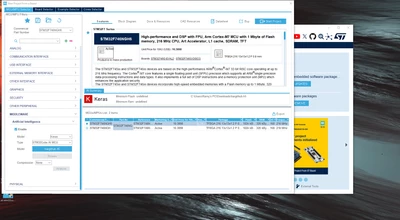
Hi STM community, I'm a fairly new user of the STMcubeMX software. I followed this tutorial (https://youtu.be/grgNXdkmzzQ?si=gDybMlGQxgTNwpPC) and every time I try to analyse my model under the 'MCU/MPU Filters' tab it just stays greyed out and does not analyse/generate anything or give me any notification. 


I'm working with an STM32F746G-Disco to learn model integration and eventually implement my own onto the board.

Any help would be greatly appreciated. Thank you!
ramyg1_0-1738520699368.png


Best answer by STea

Hello @ramyg1 ,

This is most probably a problem related to you paths in which the cube ai and model are placed which are exceeding 40 characters you will need to enable the long path in your system for it to work properly see How to enable long file path names in Windows 11 - Microsoft Q&A 
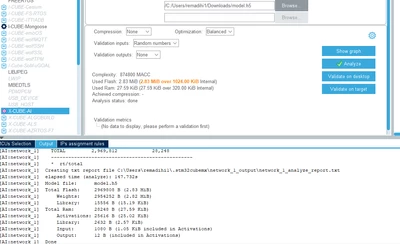
after enabling this I'm able to analyze the model and by the way it is bigger than internal flash size of your device 

STea_0-1738598147579.png

This is done by starting a project inside MX and not from the MCU selector interface this was reported internally for investigation under ticket number 202125 (for internal reference only)
Regards

1 reply

STeaBest answer
ST Employee
February 3, 2025

Hello @ramyg1 ,

This is most probably a problem related to you paths in which the cube ai and model are placed which are exceeding 40 characters you will need to enable the long path in your system for it to work properly see How to enable long file path names in Windows 11 - Microsoft Q&A 
after enabling this I'm able to analyze the model and by the way it is bigger than internal flash size of your device 

STea_0-1738598147579.png

This is done by starting a project inside MX and not from the MCU selector interface this was reported internally for investigation under ticket number 202125 (for internal reference only)
Regards