Solved
CubeMX 6.14.1 how to change MCU
I remeber there was the possibility to change MCU, but now I don't find it.
How can I do ?
Thanks

I remeber there was the possibility to change MCU, but now I don't find it.
How can I do ?
Thanks
Hello
Do you mean, how to switch to a similar MCU with the same or compatible pinout?
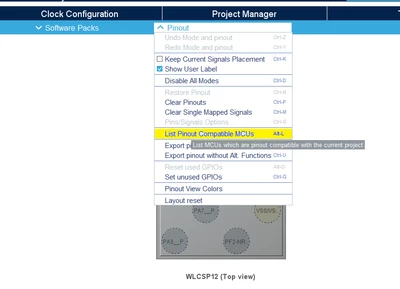
In this case, you can use the "Pinout Compatible" Feature that helps you find MCUs that are pin-compatible with your current MCU: Click "Pinout" > "List Pinout Compatible MCUs"
Enter your E-mail address. We'll send you an e-mail with instructions to reset your password.