

zirogravity
Associate II
May 16, 2023
Solved

How to create/select a Make project for STM32H745x MCU using the STM32CubeIDE Version: 1.12.1?

  • May 16, 2023
  • 2 replies
  • 1274 views

Hello,

I am running STM32CubeIDE Version: 1.12.1 on Ubuntu 22.04. I am using a NUCLEO-H745ZI-Q board. Is it possible or reasonable to expect that I should be able to configure the Make tool chain using the STM32CubeIDE instead of the default STMCubeIDE tool chain? I also tried using STMCubeMX standalone but the Make options seem to be grayed out/inactive. I found AN5361 helpful for getting started but have not come across perhaps some deeper dive documents for Dual Core project setup.
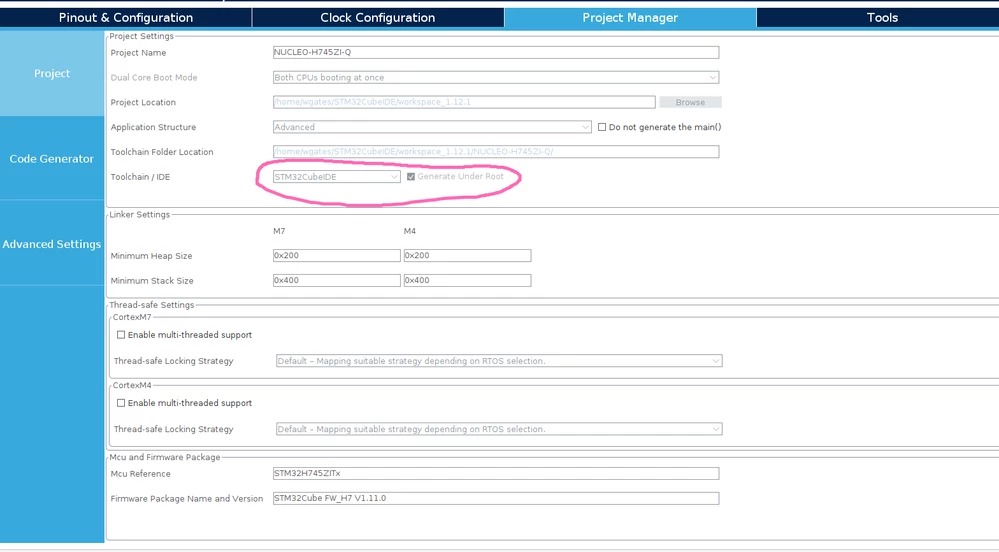
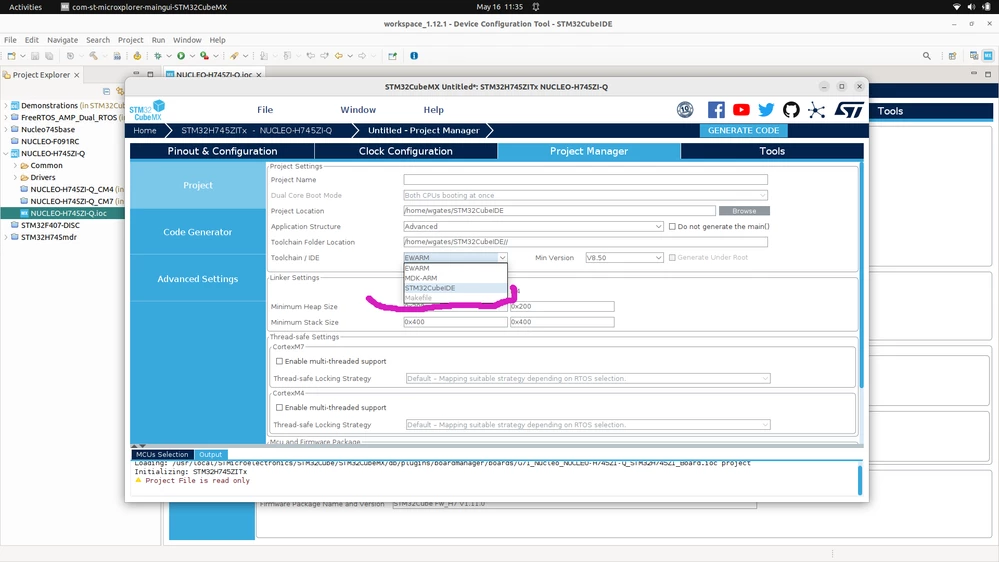
_legacyfs_online_stmicro_images_0693W00000bkDImQAM.png
_legacyfs_online_stmicro_images_0693W00000bkDMPQA2.png

This topic has been closed for replies.
Best answer by Herve PIERROT

Hi zirogravity ,

I got some rumors that for STM32CubeMX standalone, this makefile project type shall be activated for dual-core devices very soon. Traditionally, STM32CubeMX is updated end of June, beginning of July...

So, stay tune !!!

2 replies

Senior III
May 17, 2023

What I know, makefile option is avaiable only through CubeMx as standalone, not IDE

Herve PIERROT
Herve PIERROTBest answer
ST Employee
May 17, 2023

Hi zirogravity ,

I got some rumors that for STM32CubeMX standalone, this makefile project type shall be activated for dual-core devices very soon. Traditionally, STM32CubeMX is updated end of June, beginning of July...

So, stay tune !!!