
Memory Pool View Scrolling Issue for X-Cube-AI 10.2.0 Pack
Dear STM32CubeMX Support Team,
I would like to report two issues encountered while using X-Cube-AI version 10.2.0 during model analysis and training on the N6 series MCU with NPU support.
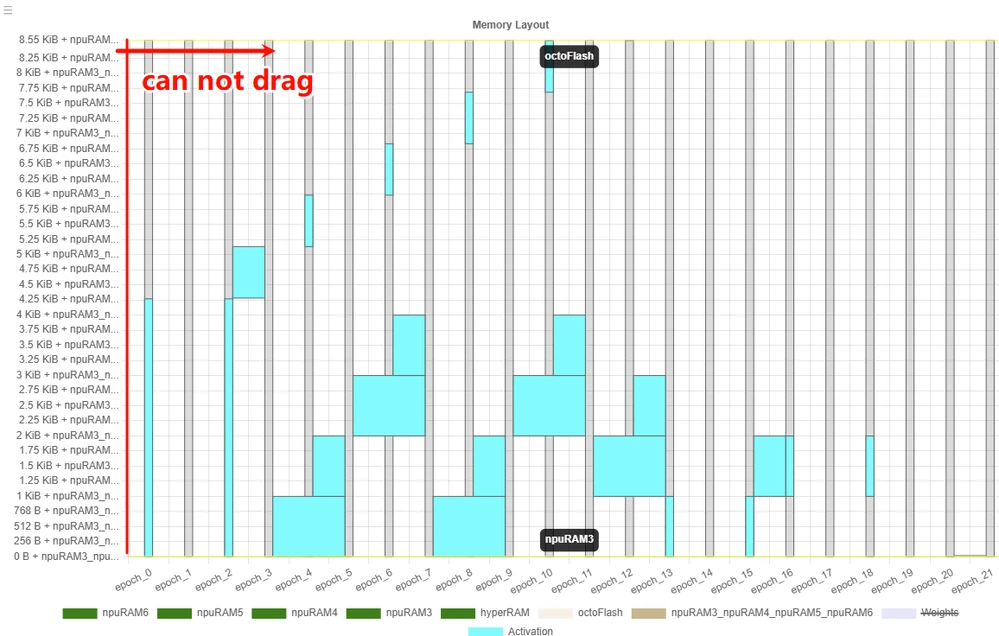
Bug 1: Memory Pool View Cannot Be Horizontally Scrolled in Netron Graph
After analyzing a model and clicking "Show Graph", the generated Netron visualization displays the memory pool section with a very long vertical axis that extends beyond the visible area. However, the view cannot be horizontally dragged or scrolled, which prevents full visibility of the memory pool details. This makes it difficult to inspect memory allocation information, especially when working with complex models.
- Expected Behavior: The memory pool section should allow horizontal scrolling or panning to fully view all data.
- Current Behavior: The graph is truncated; no scroll or drag functionality is available for the memory pool axis.
Bug 2: Inconsistent Unit Display Between External Flash and Memory Pools
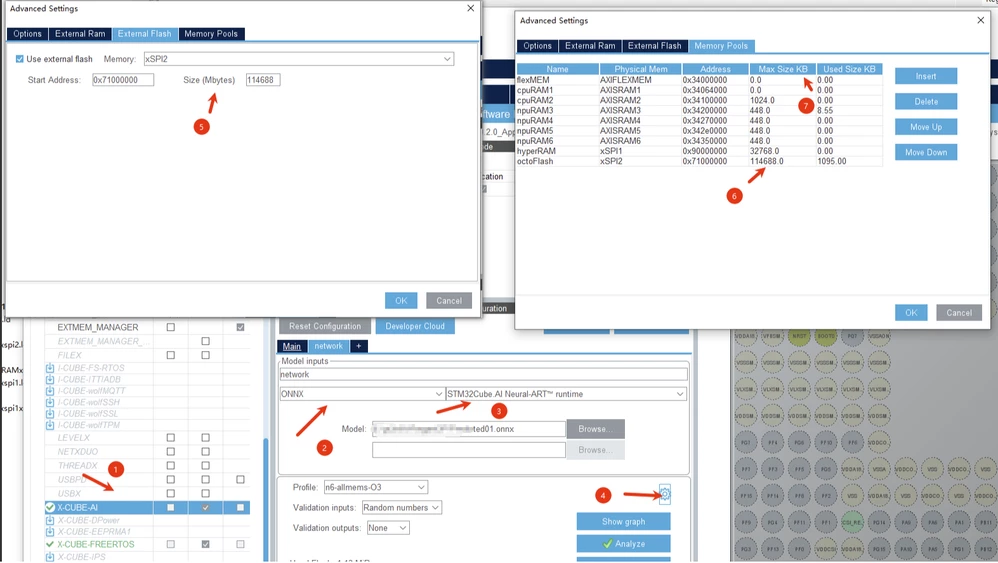
In the X-Cube-AI configrations (after NPU training) > Advanced Settings > External Flash configuration:
- The Size field displays values in Mbytes (e.g., 16 Mbytes).
- However, in the Memory Pools tab, the same value of the Size is shown in KB (e.g., 16 KB).
This inconsistency may lead to confusion during configuration and could result in incorrect memory allocation settings.
- Expected Behavior: Both interfaces should use consistent units.
Environment:
- STM32CubeMX (MCUs)
- X-Cube-AI Version: 10.2.0
- Target MCU: N6 Series (with NPU)
- Operating System: Windows 11
These issues affect usability and accuracy during AI model deployment. Thank you for your attention and support.
Best regards