Associate III
April 23, 2025
Solved

Nucleo-N657X0-Q and CubeMX

  • April 23, 2025
  • 2 replies
  • 600 views

Hi,

I am using the Nucleo-N657X0-Q board and here is what I have done so far:

  • Generated a CubeMX project
  • Enabled FSBL, Secure Application, Non-secure Application and ExtMemLoader projects
  • Enabled XSPIM, XSPI2, EXTMEM_LOADER, EXTMEM_MANAGER
  • Generated code
  • Opened the project up in CubeIDE

And this is where I get stuck. Since the project generates 4 sub-projects, which one do I run and on which boot configuration (BOOT0 JP1 and BOOT1 JP2)?

I just want to get the non secure application to run, I have added a line of code to turn the blue LED on to verify that the code is running. Purpose of this project is to understand the project structure and its method to get the code running.

Can someone please describe the steps I need to follow and in which order these needs to be done?

And I also want some feedback on the steps I have performed so far. Was it even needed to generate the EXTMEM_MANAGER sub project, and to enable the EXTMEM loader and manager?
 

Best answer by Mahmoud Ben Romdhane

Hello @fa31 ,


First let me thank you for posting.

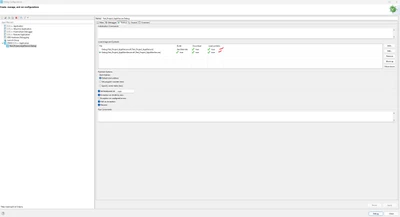
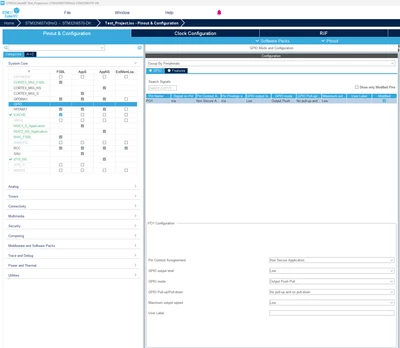
You should set the Pin Context assignment to Non Secure Application. 

Build  both project Secure and Non-Secure.

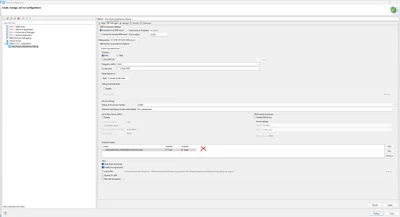
Set the External loader.

Add the AppliNonSecure.elf.

MahmoudBenRomdhane_0-1745418013505.png

MahmoudBenRomdhane_1-1745418521886.png

MahmoudBenRomdhane_3-1745418982655.png


Thanks.

Mahmoud


2 replies

Technical Moderator
April 23, 2025

Hello @fa31 ,


First let me thank you for posting.

You should set the Pin Context assignment to Non Secure Application. 

Build  both project Secure and Non-Secure.

Set the External loader.

Add the AppliNonSecure.elf.

MahmoudBenRomdhane_0-1745418013505.png

MahmoudBenRomdhane_1-1745418521886.png

MahmoudBenRomdhane_3-1745418982655.png


Thanks.

Mahmoud


To give better visibility on the answered topics, please click on Accept as Solution on the reply which solved your issue or answered your question.
fa31Author
Associate III
April 24, 2025

Thank you for the help!

The problem was that I was flashing the FSBL project and then my non-secure application and therefore the LED in the non-secure application was not blinking. The solution was to first load the FSBL project, then the secure project and then the non-secure one. 

And setting up the EXTMEM_LOADER and EXTMEM_MANAGER was not even needed. It can be left as it is when a project is created with the default initializations.