

cvanbeek
Associate III
March 6, 2025
Solved

STM32CubeMX Version 6.14 Broke SAE Configuration

  • March 6, 2025
  • 3 replies
  • 746 views

I just upgraded from version 6.13 to 6.14.  I have an exiting project for an STM32H7B3 that uses SAI1.  When I click the Generate Code button, I get the following warning:
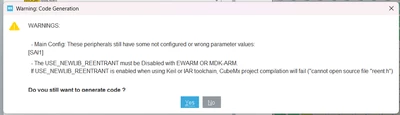
cvanbeek_0-1741289131151.png

(The second warning is also a bug, I'm using CMake on my project so it is irrelevant).

The SAI1 configuration area is also blank and does not show any warnings or errors:
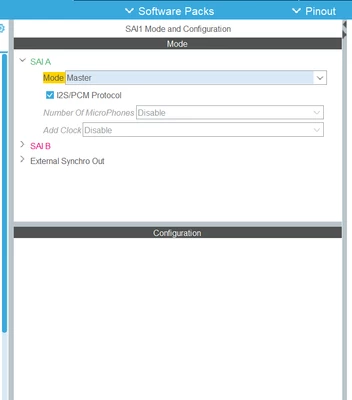
cvanbeek_1-1741289475629.png

If I create a new project for the STM32H7B3LIH6Q, and enable SAI1 SAI A in master mode, my mouse just spins forever and I do not get configuration options.
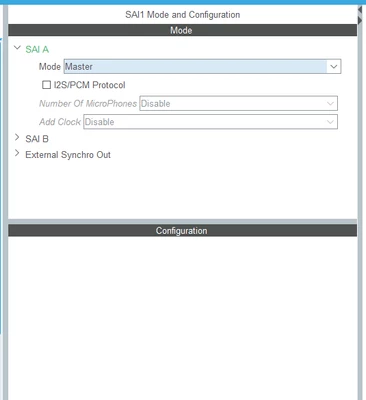
cvanbeek_2-1741289559363.png


Best answer by Semer CHERNI

Hello @cvanbeek 

The issue is fixed in the latest release of the STM32CubeMX (6.14.1).

KR,
Semer.

3 replies

Technical Moderator
March 7, 2025

Hello @cvanbeek 

Thank you for bringing this issue to our attention.
I will internally check this issue and get back to you as soon as possible.

BR,

Souhaib

To give better visibility on the answered topics, please click on Accept as Solution on the reply which solved your issue or answered your question.
Technical Moderator
March 7, 2025

Hello @cvanbeek 

Issue confirmed and raised to the relevant team for fix.

Internal ticket number:  204848 (This is an internal tracking number and is not accessible or usable by customer).

Thank you,

Souhaib

To give better visibility on the answered topics, please click on Accept as Solution on the reply which solved your issue or answered your question.
Semer CHERNI
Semer CHERNIBest answer
ST Employee
May 20, 2025

Hello @cvanbeek 

The issue is fixed in the latest release of the STM32CubeMX (6.14.1).

KR,
Semer.