Associate II
December 27, 2024
Solved

Trouble configuring I2C pins in CubeMx

  • December 27, 2024
  • 1 reply
  • 757 views

Can someone please explain to me how this is even possible on the same device?
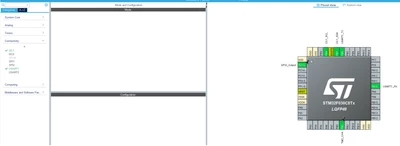
STM32F030C8T6New.png

STM32F030C8T6Old.png

They are the exact same device yet I can not seem to get the same pin config in different projects.
The one project somehow got the PIN Layout where PB6(SCL) and PB7(SDA) is the I2C1 BUT on the other exact same device the I2C1 operates on PB8(SCL) PB7(SDA)?
When I run the I2C1 on the PB8(SCL) PB7(SDA) config it works fine.
When I run the I2C1 on the PB6(SCL) and PB7(SDA) config it does not work.
When I try and reconfig my PB6(SCL) and PB7(SDA) to be PB8(SCL) PB7(SDA) then I can not set PIN8 on the AF register....
Best answer by Ghofrane GSOURI

Hello @table 

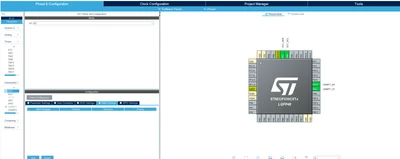
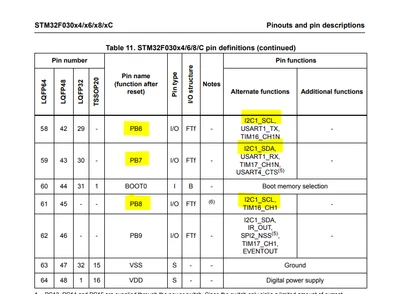
If you activate the USART1 and I2C1 , CubeMX will choose the PA9 and PA10 for USART_TX and USART_RX and  PB6(SCL) and PB7(SDA) (First screenshot).If you manually change USART_TX from PA9 to PB6 you will get the configuration of the second screenshot .Both configuration are correct based on the datasheet 

GhofraneGSOURI_0-1735317942266.png


1 reply

Ghofrane GSOURI
Ghofrane GSOURIBest answer
Technical Moderator
December 27, 2024

Hello @table 

If you activate the USART1 and I2C1 , CubeMX will choose the PA9 and PA10 for USART_TX and USART_RX and  PB6(SCL) and PB7(SDA) (First screenshot).If you manually change USART_TX from PA9 to PB6 you will get the configuration of the second screenshot .Both configuration are correct based on the datasheet 

GhofraneGSOURI_0-1735317942266.png


To give better visibility on the answered topics, please click on Accept as Solution on the reply which solved your issue or answered your question.