

fcd-chris-1
Associate
February 27, 2022
Solved

Unable to install embedded software packages in STM32CubeIDE 1.8.0

  • February 27, 2022
  • 4 replies
  • 4813 views

When I open Help -> Manage Embedded Software Packages in STM32CubeIDE 1.8.0, I'm unable to click the arrows to expand the package versions under each STM32 family. If I click the "+" icon in the top right corner, everything expands, but then I'm unable to check any of the boxes next to the packages to select them.
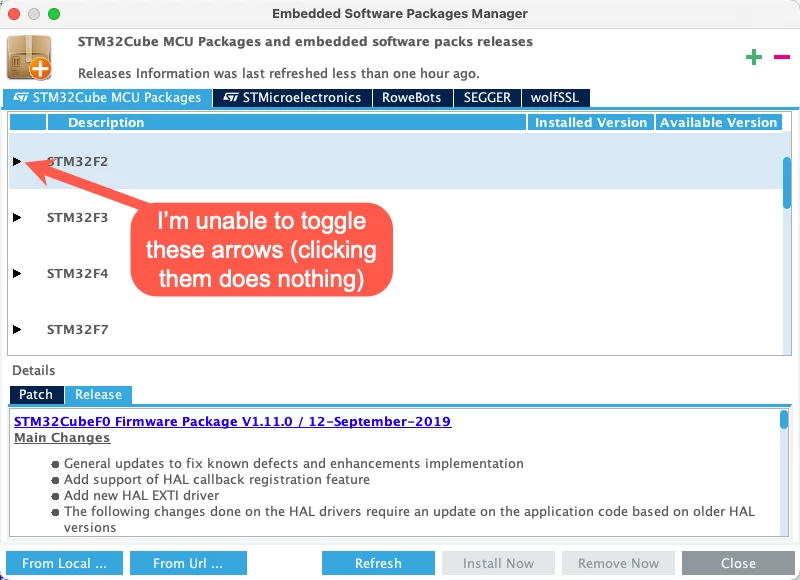
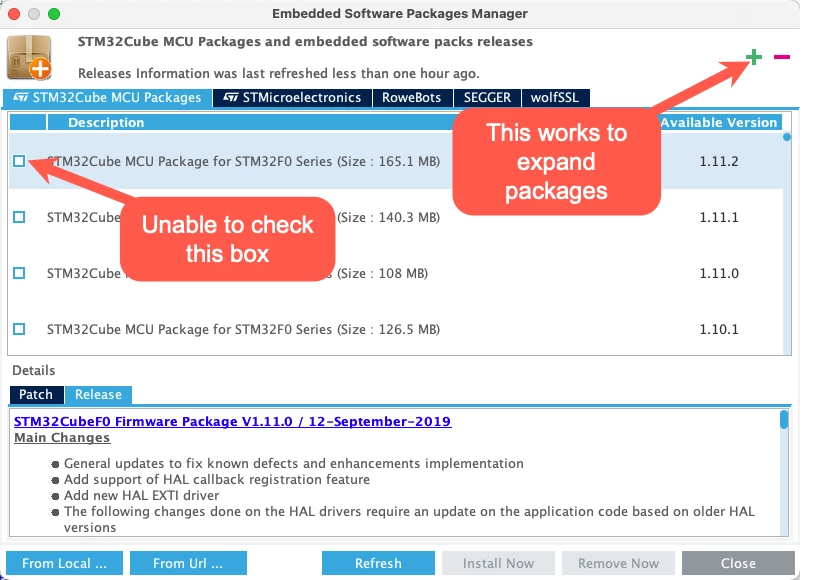
0693W00000KagWaQAJ.png 

0693W00000KagYMQAZ.png 

FYI, I do not have any of these problems in the standalone STM32CubeMX 6.4.0:
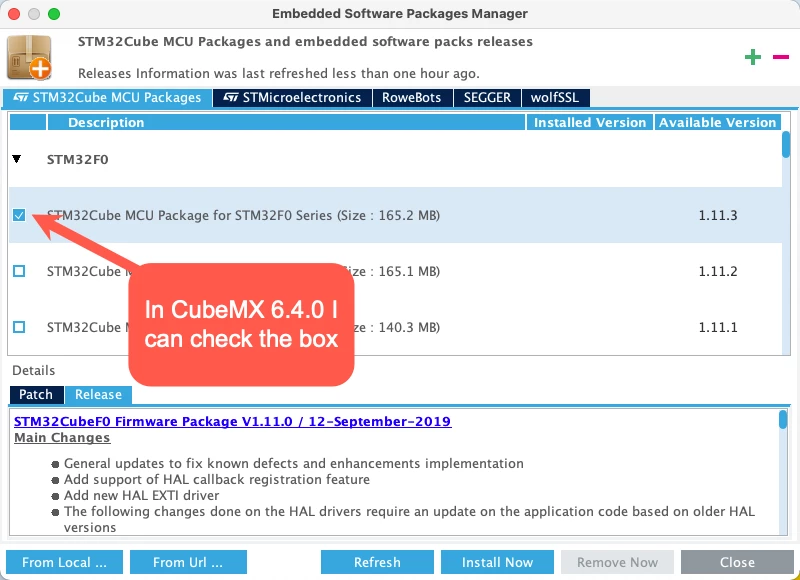
0693W00000KagX4QAJ.png 

I'm running this on macOS Monterey 12.2.1 running on Apple Silicon (arm64).

Best answer by fcd-chris-1

Hi @Aymen CHAKROUN​ thanks for your reply.

I was able to work around this temporarily without having to install "From Local..." by using the STM32CubeMX software to download the firmware. After download, it shows up inside of STM32CubeIDE since they are both using the same Repository directory.

For anyone else coming across this, the more direct link to download the firmware .zip packages is: https://www.st.com/en/embedded-software/stm32cube-mcu-mpu-packages.html#products

4 replies

Aymen CHAKROUN
ST Employee
February 28, 2022

Hi @fcd-chris-1​,

It's a known issue (Related only to macOS).

I propose this Workaround:

Download the Firmware manually form the https://www.st.com/en/microcontrollers-microprocessors/stm32-32-bit-arm-cortex-mcus.html (It should be .zip file) and install it using "From Local..." button from "Manage embedded packages" Window.

We are investigating harder to fix this issue in macOS.

Let me know your result.

Regards,

Aymen.

fcd-chris-1
fcd-chris-1AuthorBest answer
Associate
February 28, 2022

Hi @Aymen CHAKROUN​ thanks for your reply.

I was able to work around this temporarily without having to install "From Local..." by using the STM32CubeMX software to download the firmware. After download, it shows up inside of STM32CubeIDE since they are both using the same Repository directory.

For anyone else coming across this, the more direct link to download the firmware .zip packages is: https://www.st.com/en/embedded-software/stm32cube-mcu-mpu-packages.html#products

Explorer
July 7, 2024

Thank you!  2+ years later, and this is still an issue.  Your solution worked.

Gumer RoMa
Visitor II
May 25, 2022

Installing it using the STM32CubeMX works, but then I ran into the same problem when I wanted to use the package.

I literally had to click on the expand arrows like a 100 times to get the "Core" row to be showed...

0693W00000Nqg2UQAR.png

cgnd_chris
Associate II
October 7, 2024

I have found that this problem only occurs for me when the Embedded Software Packages Manager window is open on an external monitor. When I move the window back to the built-in display on my Mac laptop, I am able to expand the arrows and click the checkboxes to install the packages.

Explorer
March 13, 2026

THANK YOU! ... couldn't believe this worked.