Associate II
November 13, 2025
Solved

Can't configure debug session for STM32N6-GettingStarted-ObjectDetection sample

  • November 13, 2025
  • 3 replies
  • 266 views

Hi,

I'm trying to test and deploy this application on stm32N6-DK
https://github.com/STMicroelectronics/STM32N6-GettingStarted-ObjectDetection
Also follow this MOOC
https://www.youtube.com/watch?v=VV9f5e3nqM4&list=PLTJzs51NlEICI7ARAHOyUqMhTgJE0UFv0&index=8

Loaded the project to stm32CubeIDE 1.19.0

Can buid the project 
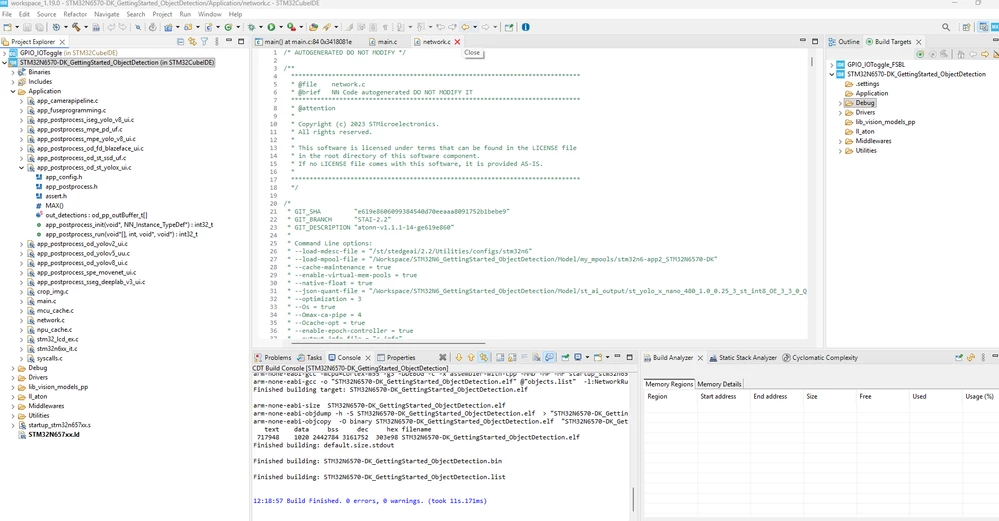
2025-11-13_12h20_56.png

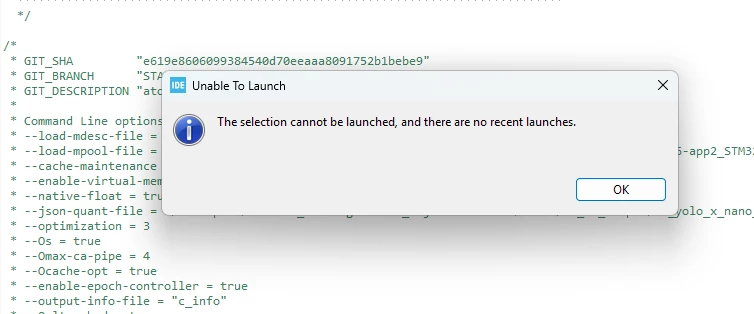
but impossible to configure or debug the application !!
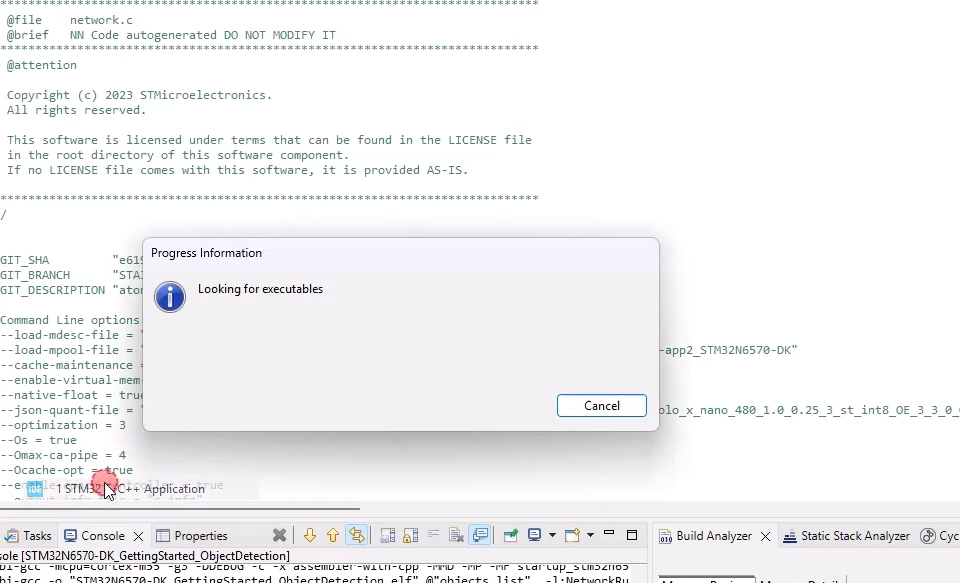
2025-11-13_14h03_43.png

or this error on debug view
2025-11-13_13h59_32.png

If someone can help ...


3 replies

Technical Moderator
November 13, 2025

Hello @mls 

I suggest that you refer to Getting started with STM32N6 MCUs in STM32CubeIDE - Application note and check your debug configuration.

BR, Souhaib

To give better visibility on the answered topics, please click on Accept as Solution on the reply which solved your issue or answered your question.
mlsAuthor
Associate II
November 13, 2025

@Souhaib MAZHOUD thank you but i can't open debug configuration ... nothing happen (no popup windows open)

Technical Moderator
November 17, 2025

Hello @mls 

Did you set a breakpoint in your application before starting the debug session?
If yes, you should add a breakpoint while debugging as mentioned in the errata sheet Known issues.

"If the Application context contains any break point even if it is disabled, the debug session will not start.

Workaround:

Therefore, any break point needs to be added while debugging and after the execution of this instruction “retr = MapMemory();”.

This is why we set the breakpoint at JumpToApplication instead of main in the startup configuration."


To give better visibility on the answered topics, please click on Accept as Solution on the reply which solved your issue or answered your question.
Andrew Neil
Super User
November 13, 2025

Have you seen this new (yesterday afternoon) Knowledge Base article:

 How to connect the STM32N6 using STLINK and serial interface

A complex system that works is invariably found to have evolved from a simple system that worked.A complex system designed from scratch never works and cannot be patched up to make it work.
mlsAuthor
Associate II
November 13, 2025

Thank you but we can't use cubeIDE to program and debug the N6 ??

mlsAuthorBest answer
Associate II
November 17, 2025