

DLid.1
Associate II
April 20, 2024
Question

Can't see memory uage at Build Analyzer

  • April 20, 2024
  • 3 replies
  • 6615 views

Hello!


I have a STM32CubeIDE project that I run on a STM32WB5MMG module.

I program it in debug mode and set a breakpoint in the code.

When I open Build Analyzer it's empty. When I see other people open it, they get information about RAM usage. 
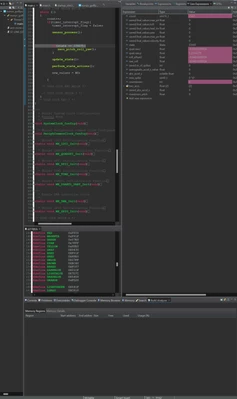
DLid1_0-1713623582109.png

What have I missed to not get this information?


    3 replies

    AScha.3
    Super User
    April 20, 2024

    Hi,

    build analyzer = flash, ram used , you dont see in debug , just after compile you can see it.

    -> for project, you select (= focus is on it)

    see: -> selected project

    AScha3_0-1713625133125.png

    then see:

    AScha3_1-1713625181237.png

    in settings you must not disable this in project settings:

    AScha3_2-1713625315253.png

    AScha3_3-1713626128178.png


    "If you feel a post has answered your question, please click ""Accept as Solution""."
    Rim LANDOLSI
    ST Employee
    April 22, 2024

    Hello @DLid.1 ,

    If you are using CubeIDE 1.15.0, you need to enable 'Auto' for the build views refresh mode in [Window]>[Preferences]>[STM32Cube]>[Build Views Settings], then restart CubeIDE.

    RimLANDOLSI_0-1713800901364.png


    Thanks,

    Rim.

    Explorer
    November 28, 2024

    I'm using CubeIDE 1.17.0 and my build analyzer is also empty. It has been working at some point.

    I tried your solution, but this doesn't work for me. Do you have any other suggestions to get the view back?

    Technical Moderator
    November 28, 2024

    Hello @MiguelDK 

    After following the steps mentioned by Rim, you have to click on the 'Refresh' button:

    SouhaibMAZHOUD_0-1732808314223.png

    KR,

    Souhaib

    To give better visibility on the answered topics, please click on Accept as Solution on the reply which solved your issue or answered your question.
    Explorer
    November 29, 2024

    Hi

    I have now solved the problem.

    I had to press: [Window]>[Perspective]>[Reset Perspective...]

    This brought back the Build Analyzer

    MiguelDK_1-1732864299157.png

    Miguel