Question
Changing CubeIDE Comment Color
Hi,
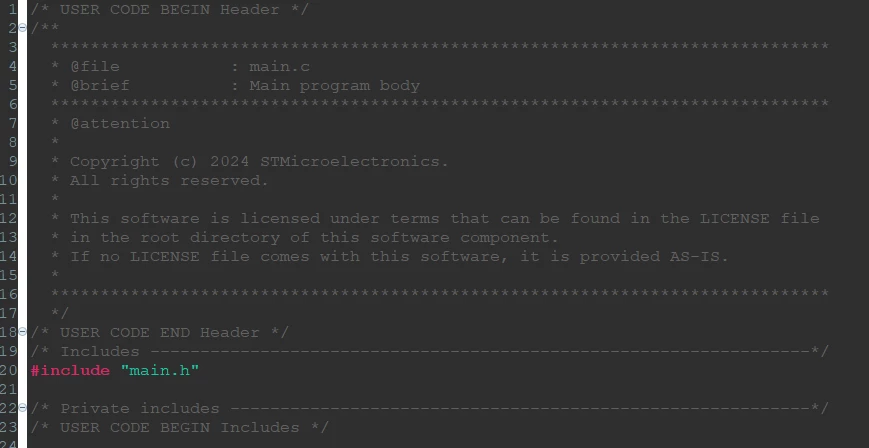
I'm using STM32CubeIDE with the Dark theme and Default colors and fonts, and I can barely read the comments with the gray on gray color scheme (pictured below). How can I change the color of the commented/inactive code sections? I've gone through what seems like every preference section as well as searching the issue and I can't figure out how to do this.
EDIT: Alternatively changing the background to black would help, but I can't figure out how to do this either and when I change the wrong setting, trying to reset defaults behaves unpredictably so I'm afraid to keep messing with settings.
Thanks