Michal Dudka
Lead
July 15, 2025
Solved

CubeIDE 18.1 does not create CubeMX project - no .ioc file

  • July 15, 2025
  • 3 replies
  • 5352 views

Hi,
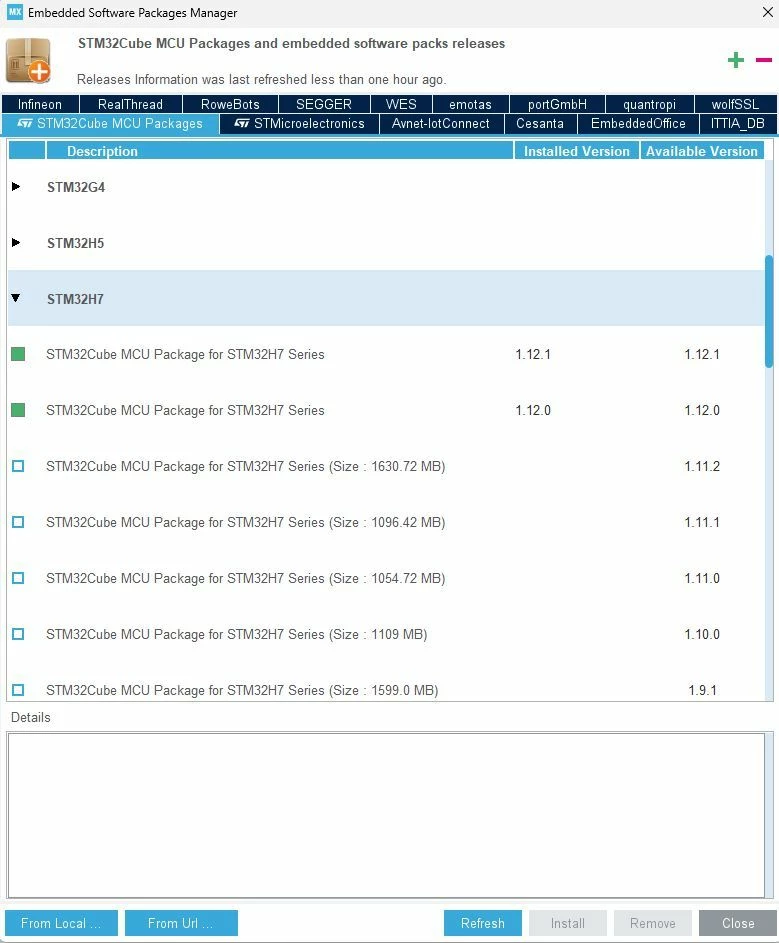
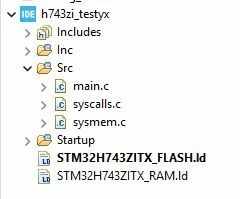
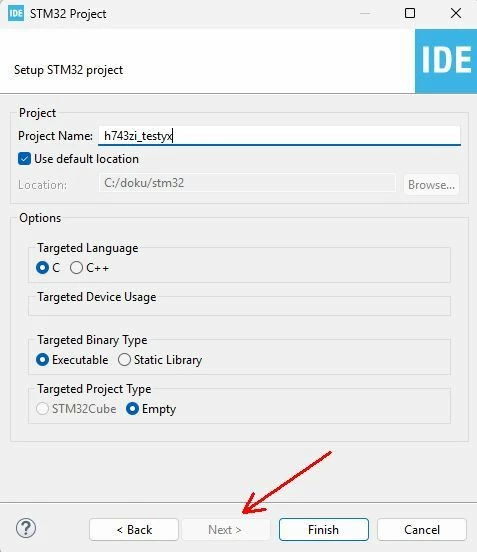
I encountered the following problem on two different computers with different versions of STM32CubeIDE. I select File->New->STM32 Project, then i select MCU or Board and click to Finish. Then pops up window called "STM32 Project" to fill up project name. Usualy there is "next" button to select another features, like which CubeFW version to use etc. But now, the "next" button is greyed out. Probably due field called "Target Project type" with greyed out option "STM32 Cube". When i hit "finish" button, IDE creates empty project without ioc file - in other words it does not open CubeMX to configure project.

I am not aware of interfering with the IDE in any way (plus I observed it on two independent PCs). I am including screenshots.

Thanks,
Michal
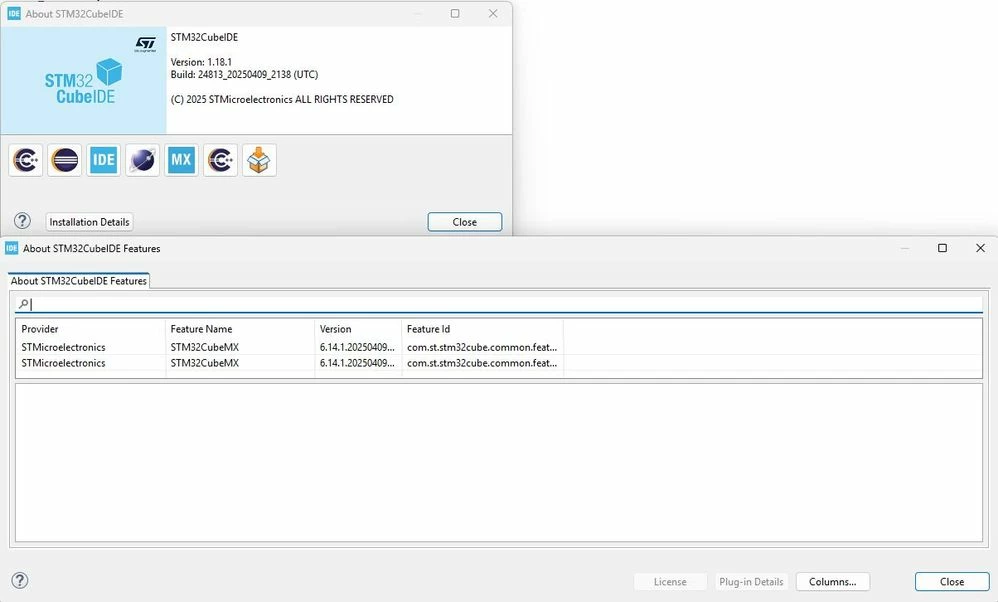
Version of CubeMXVersion of CubeMXCubeFW is actualCubeFW is actualEmpty projectEmpty projectmissing option to use Cubemissing option to use Cube


Best answer by Souhaib MAZHOUD

Hello @Michal Dudka 

Please use the latest version of CubeIDE 1.19.0, the same issue is discussed here.


BR,

Souhaib

3 replies

Souhaib MAZHOUDBest answer
Technical Moderator
July 15, 2025

Hello @Michal Dudka 

Please use the latest version of CubeIDE 1.19.0, the same issue is discussed here.


BR,

Souhaib

To give better visibility on the answered topics, please click on Accept as Solution on the reply which solved your issue or answered your question.
Graduate
July 15, 2025

Sorry, sir, but this is not a solution. There are situation in which people want to maintain a stable ide version with the libraries from that version and so on, and updating to a new version can be not acceptable. Is there a way to enable the generation of ioc file on older releases? Btw, the 1.19 linux installer ( at least the debian one ) fails to write the appropriate rules files, so on a clean system the user need to manually copy the rules on rules.d .
Are there plans to release a more usable version that doesn't  break the old installations?

Screenshot from 2025-07-15 15-49-07.png

Andrew Neil
Super User
July 15, 2025

read the linked threads - there are workarounds listed there.

See also: 

https://community.st.com/t5/stm32cubeide-mcus/ioc-file-not-generating/m-p/822500/highlight/true#M37461

A complex system that works is invariably found to have evolved from a simple system that worked.A complex system designed from scratch never works and cannot be patched up to make it work.
Andrew Neil
Super User
July 15, 2025

Can confirm this with v1.18.1 on Win11-Pro.

Nucleo-F030 as target.

Maybe the key is that 'STM32Cube' is disabled in 'Target Project Type' - so it can only create an 'Empty' project?

AndrewNeil_0-1752567642040.png


Same issue here - confirmed by many:

https://community.st.com/t5/stm32cubeide-mcus/stm32-targeted-project-type-is-empty-and-its-not-generating-ioc/m-p/819652

Looks like it's a bug v1.18.1 - solution is to use v1.19.0 instead.

A complex system that works is invariably found to have evolved from a simple system that worked.A complex system designed from scratch never works and cannot be patched up to make it work.
Andrew Neil
Super User
July 21, 2025

See the pinned topic STM32CubeIDE STM32Cube project creation issue - ST are looking into it ...

A complex system that works is invariably found to have evolved from a simple system that worked.A complex system designed from scratch never works and cannot be patched up to make it work.