
CubeIDE 2.0.0 and 2.1.0 weird behavior... Im frustrated
Cube IDE
If i create / Import STM32 Project
I only got these options to pick from and i have the feeling something is missing. 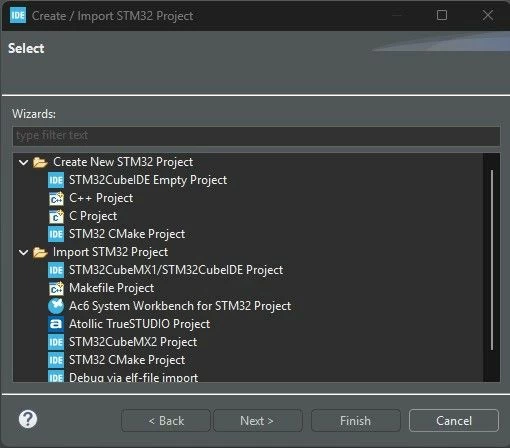
So i select:
- STM32CubeIDE Empty Project which leads me to this: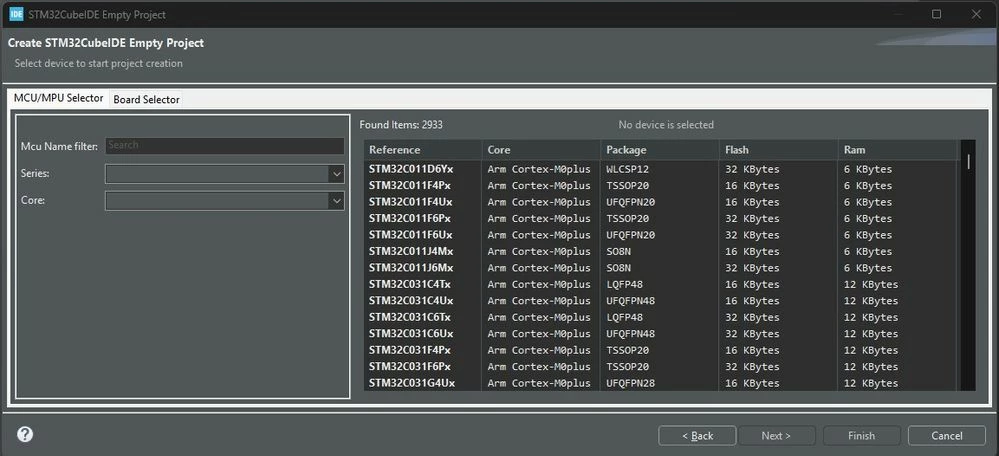
So i select my MCU: STM32G474RETx (for example).
This leads me to this:
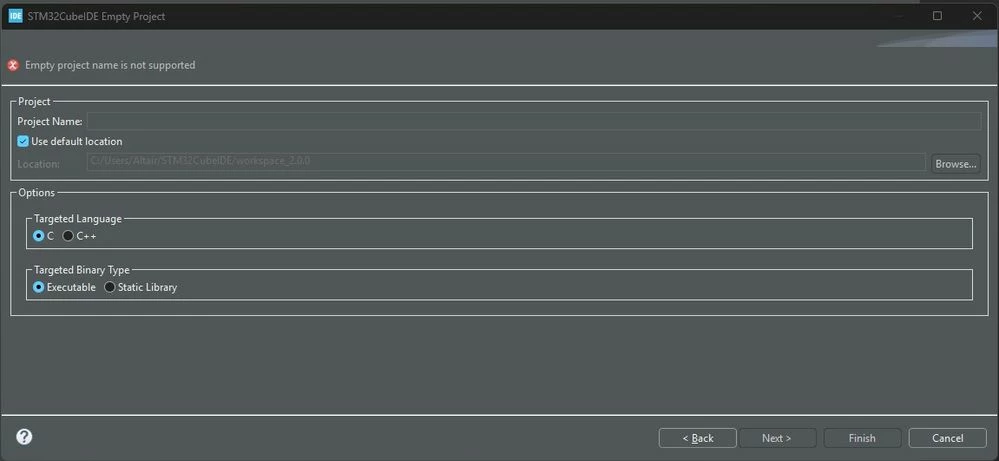
All i can really do is creating an empty Project.
This is wrong? I have the feeling it completely ignores which STM Chip i select. I would expect a question if i would want to use CMSIS, LL or HAL drivers.
What i am left with is this:
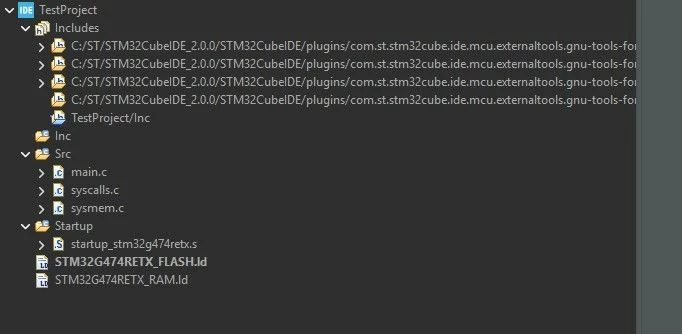
Notice that there is no Drivers folder at all and that i cannot select any of the given Libraries.
To me this doesnt make any reasonable sense. Its almost like an empty C/C++ Project.
The only way to get the drivers folder into my project is to go the route via CubeMX.
Which also has its twirks.
I sort of always have to select only the MCU on my board instead of the board itself.
When i select the Board (in this particular case the NUCLEO-G474RE) then CubeMX will always export also the FreeRTOS CMSIS.h stuff, although they have been deselcted.
But wait there is more!
When i then try to compile the "Empty" just exported Project i end up with the error, that CMSIS.h or something isnt found (again - although its not enable in CubeMX Config.
What i tried:
I tried using 2.0.0 instead of 2.1.0 because i believed that somewhen in the chain this might have been bugged or fixed - apparentely not.
My Wishes:
- I would want to NOT be forced to use CubeMX although it is a great helper. Just simply select chip in CubeIDE - Select Library (LL, HAL) and you are ready to go.
- CubeMX should be able to export an absolute clean project although i have selected the Nucleo Board instead of the chip.
From a coders POV it really doenst make much sense.
I would prefer to just use CUBE IDE
- Create Project
- Select drivers
- Good to go - all empty, just drivers... As you would have it in any other MCU Manufacturers IDE (such as Microchip e.g.)
Now there is the chance that i do something wrong.
Any advice is heavily appreciated. I avoid using STM32 for years because of these roadblocks. To me STM32 is like... Spending more time debunking problems in Toolchain, than doing creative stuff. I have never had any of such issues in PSoC Creator, MPLAB IDE or any other....
ST, Please fix this - thats not cool. Thanks in advance!
Guitronimo