
Associate
December 8, 2025
Solved

CubeIDE does not have "STM32 project" option in "Create New STM32 Project" subsection

  • December 8, 2025
  • 3 replies
  • 2925 views

Hi, I have a problem with my CubeIDE installation that is that I cannot create a stm32 project(the option that integrates with CubeMX) I can only create the following
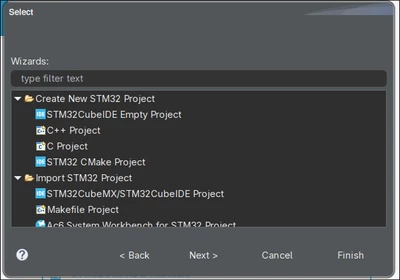
ElCapiCB_1-1765200195378.png

I've installed it from the shell script from the generic Linux download, I'm using arch Linux(btw).
I've reinstalled it at least 3 times now, also went to Help -> Install New Software, used this site: 
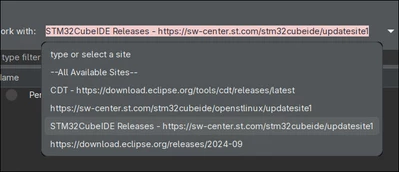
ElCapiCB_3-1765200444389.png

And installed everything down the STM32CubeIDE section.
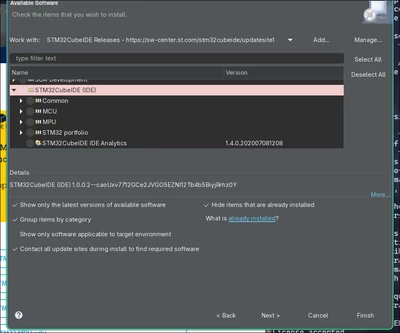
ElCapiCB_4-1765200550642.png


Best answer by TDK

CubeMX is no longer integrated into STM32CubeIDE. To create a new project, download, install and use the standalone STM32CubeMX application.

3 replies

TDK
TDKBest answer
Super User
December 8, 2025

CubeMX is no longer integrated into STM32CubeIDE. To create a new project, download, install and use the standalone STM32CubeMX application.

"If you feel a post has answered your question, please click ""Accept as Solution""."
Andrew Neil
Super User
December 9, 2025

As @TDK  said, It's intentional: CubeIDE no longer integrates the MX functionality - it's now only available in the separate, standalone application.

Discussion about this here: IDE Version 2.0.0 - why remove MX ?

A complex system that works is invariably found to have evolved from a simple system that worked.A complex system designed from scratch never works and cannot be patched up to make it work.
Associate II
January 4, 2026

I was horrified from 4 hours. Thanks.
noob googler help:
IOC file not working
cube ide project not opening
cube ide no new project option