ferro
Lead
October 8, 2024
Question

CubeIDE how to change font size in Console, Problems et al.

  • October 8, 2024
  • 2 replies
  • 3018 views

Hi,

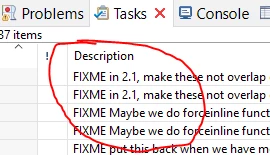
How do I change font size in following views ?

ferro_0-1728378701351.png

I searched in 'Window>Preferences>Appearance>Colors and Fonts' but could not figure out which entry to edit.

Edit: I mean changing font size of the content of the views
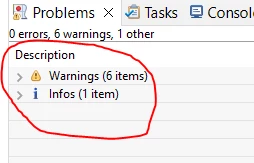
ferro_0-1728389165848.png    


ferro_0-1728389342499.png


Thanks for help

2 replies

ferro
ferroAuthor
Lead
October 8, 2024

I found the entry for 'Console', few more to go

ferro_0-1728379749149.png

ferro_1-1728379765517.png


TDK
Super User
October 8, 2024

> How do I change font size in following views ?

The "Part title font" setting will change the font used for the title of tabs.

TDK_0-1728388425616.png


"If you feel a post has answered your question, please click ""Accept as Solution""."
ferro
ferroAuthor
Lead
October 8, 2024

Thank you @TDK , I planned to ask about that in another post. Sorted.