Best answer by STea

Hello @Andrew Neil ,

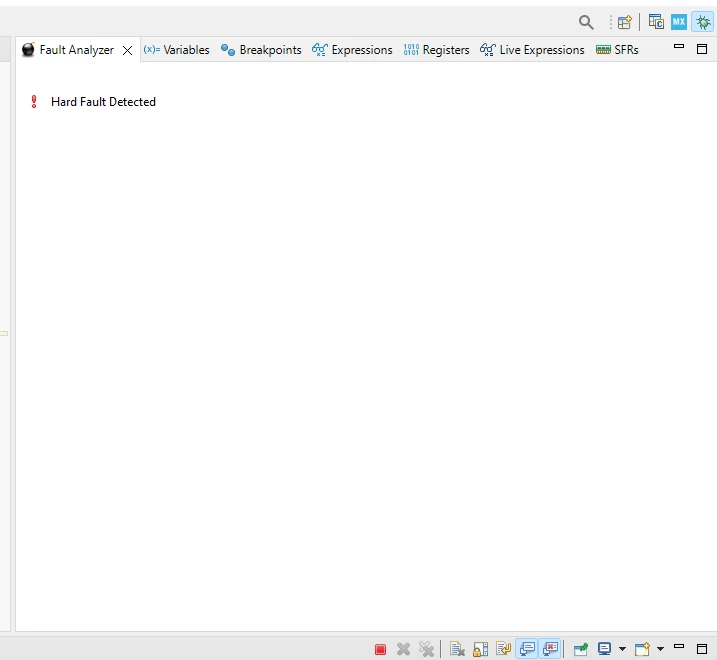
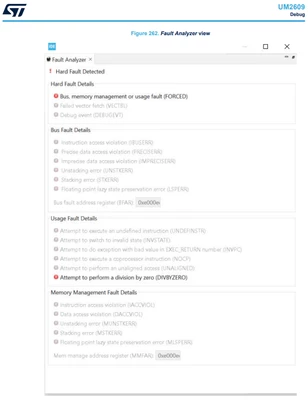
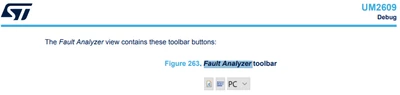
Fault analyzer toolbar is no more available but not the fault analyzer feature, which is still available but, in your case, you are working on a cortex M0 based microcontroller (STM32F0) so no fault related registers are available and no fault analyzer view subsequently for other cortex M4 -M33 -M7 you can still have the full view of the fault-analyzer.
Regards 

1 reply

Technical Moderator
July 17, 2024

Hello @Andrew Neil ,

First let me thank you for posting.

There was a consensus to remove this feature Fault Analyzer toolbar from STM32CubeIDE and a change request has been raised to update the Release Note and the User Manual under this Ticket: 174829.

Thanks.

Mahmoud


To give better visibility on the answered topics, please click on Accept as Solution on the reply which solved your issue or answered your question.
Andrew Neil
Super User
July 17, 2024

@Mahmoud Ben Romdhane wrote:

There was a consensus to remove this feature from STM32CubeIDE


Really - why?!

When was it removed?

A complex system that works is invariably found to have evolved from a simple system that worked.A complex system designed from scratch never works and cannot be patched up to make it work.
Andrew Neil
Super User
August 20, 2024

@Andrew Neil wrote:

@Mahmoud Ben Romdhane wrote:

There was a consensus to remove this feature from STM32CubeIDE


Really - why?!

When was it removed?


@Mahmoud Ben Romdhane Any update on this?

If it is the case, then this knowledge base article needs to be updated:

https://community.st.com/t5/stm32-mcus/how-to-debug-a-hardfault-on-an-arm-cortex-m-stm32/ta-p/672235

@Lina_DABASINSKAITE 


A complex system that works is invariably found to have evolved from a simple system that worked.A complex system designed from scratch never works and cannot be patched up to make it work.