Solved
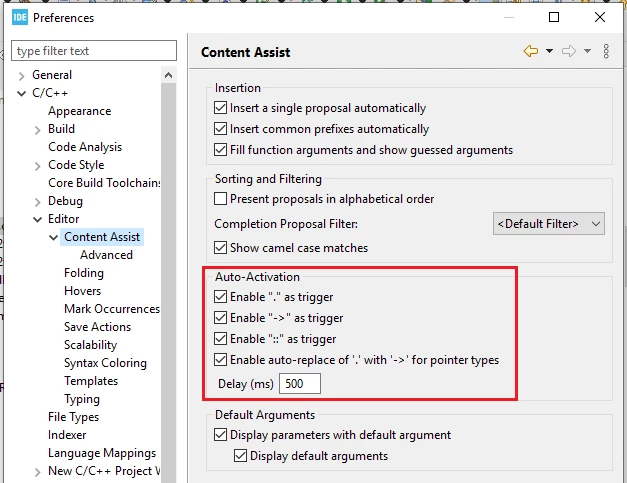
How to configure Content Assist Auto-Activation so it behaves like in Visual Studio?
How do you enable Auto-Activiation for Content Assist with typing any character? And how do I disable hiding of Content Assist as soon as the current filter would show an empty result?
Technically Ctl-Space works, but it's annoying. I'm used to a fast user interface with automatically displayed Content Assist.