

AScha.3
Super User
January 29, 2024
Solved

IDE hangs on start - new symptom of sickness ?

  • January 29, 2024
  • 1 reply
  • 2013 views

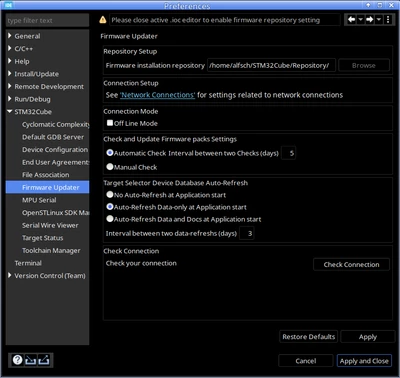
This is new "option" on splash screen:
AScha3_0-1706557490496.png

!! on top: please close ioc editor --- on startup !!! Nothing is open !!

-> Apply and Close --> nothing happens , just (static) splash screen.

Is V1.13.1 .

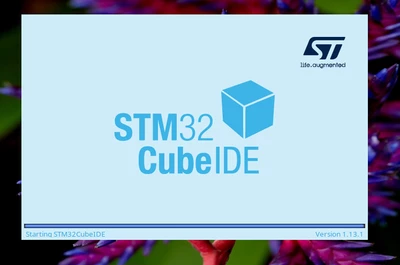
Only killing the java process removes the splash screen, but doesn't help , next start of IDE hangs again:
AScha3_1-1706558023330.png

Very annoying .

    Best answer by AScha.3

    Thx Oskar - i know. It happens now about 14 times the last 12 months .

    Just : delete > .metadata/.plugins/org.eclipse.e4.workbench/workbench.xmi < , then it might (!) start again.

    And i have some backups (copies) of this workbench.xmi , copy/rename to workbench.xmi and its starting again. But this is NO solution , this is just some last chance to avoid to delete the sick freak .

    I cannot imagine, its so big problem to find out , whats going wrong (for the great software freaks at STM ) , if they had any interest to do it. 

    1 reply

    Senior
    January 29, 2024

    When something goes wrong with STM32CubeIDE at startup, it is generally good to delete ~/STM32CubeIDE/workspace_xxx/.metadata/.plugins  then retry and cross fingers.

    AScha.3
    AScha.3AuthorBest answer
    Super User
    January 29, 2024

    Thx Oskar - i know. It happens now about 14 times the last 12 months .

    Just : delete > .metadata/.plugins/org.eclipse.e4.workbench/workbench.xmi < , then it might (!) start again.

    And i have some backups (copies) of this workbench.xmi , copy/rename to workbench.xmi and its starting again. But this is NO solution , this is just some last chance to avoid to delete the sick freak .

    I cannot imagine, its so big problem to find out , whats going wrong (for the great software freaks at STM ) , if they had any interest to do it. 

    "If you feel a post has answered your question, please click ""Accept as Solution""."
    rclar.6
    Associate III
    September 24, 2024

    This worked for me! Thankyou. (I cannot find the 'accept as solution button)