Visitor II
March 4, 2025
Solved

Network connection issue in cube ide

  • March 4, 2025
  • 4 replies
  • 1069 views

Hi community,

I'm encountering a "network connection failed" error in my Cube IDE. Despite reinstalling the IDE multiple times, the issue persists. As a result, I'm unable to generate the code. Any suggestions on how to resolve this?


Screenshot 2025-03-04 171155.png

Best answer by Mahmoud Ben Romdhane

Hello @qw2 ,


First let me thank you for posting.

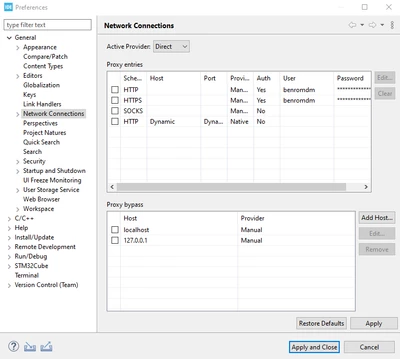
Before checking the connection, you should set the connection parameters for STM32CubeIDE:

Go to [Window]>[Preferences]>[General]>Network connections]
MahmoudBenRomdhane_0-1741095563703.png

Change [Active provider] to Manual.

Update the proxy entries for HTTP and HTTPS with specific HOST, Port, User, and Password using the [Edit...] button.

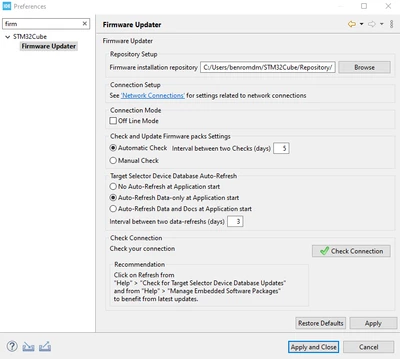
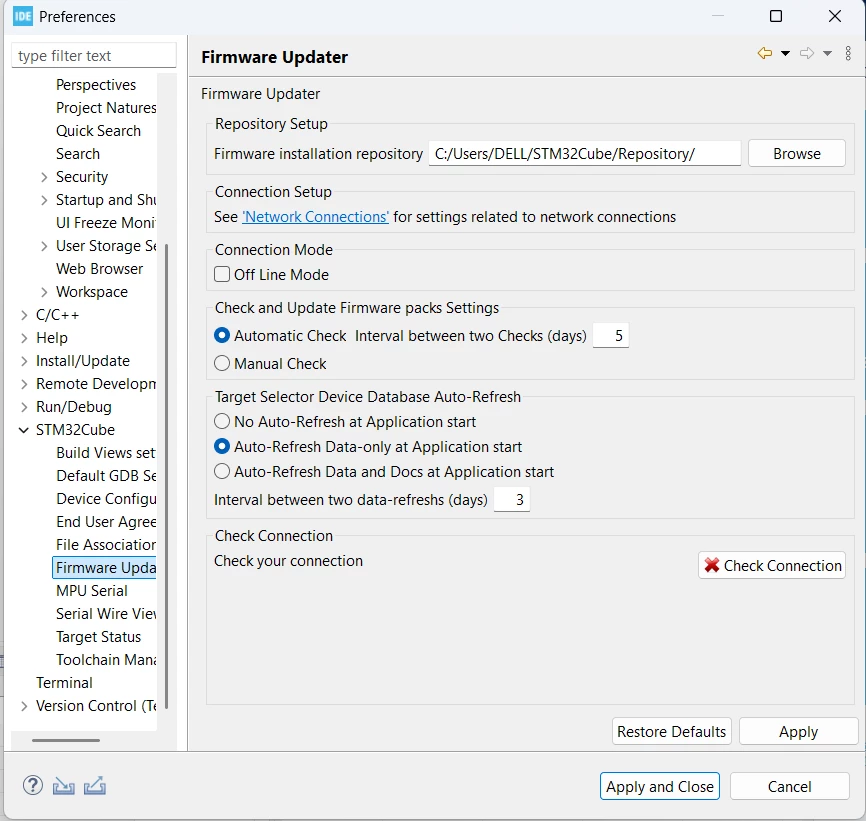
Then, go to [Window]>[Preferences]>[STM32Cube]>[Firmware Updater] and click on the "Check connection" button.
MahmoudBenRomdhane_1-1741095681338.png

For more details, check the STM32CubeIDE user manual UM2609 section 1.5.3 Preferences - Network proxy settings.


Thanks.

Mahmoud

4 replies

Technical Moderator
March 4, 2025

Hello @qw2 ,


First let me thank you for posting.

Before checking the connection, you should set the connection parameters for STM32CubeIDE:

Go to [Window]>[Preferences]>[General]>Network connections]

MahmoudBenRomdhane_0-1741095563703.png

Change [Active provider] to Manual.

Update the proxy entries for HTTP and HTTPS with specific HOST, Port, User, and Password using the [Edit...] button.

Then, go to [Window]>[Preferences]>[STM32Cube]>[Firmware Updater] and click on the "Check connection" button.

MahmoudBenRomdhane_1-1741095681338.png

For more details, check the STM32CubeIDE user manual UM2609 section 1.5.3 Preferences - Network proxy settings.


Thanks.

Mahmoud
To give better visibility on the answered topics, please click on Accept as Solution on the reply which solved your issue or answered your question.
Associate II
March 6, 2025

Hi @Mahmoud Ben Romdhane,

Where do we get this information?
"Update the proxy entries for HTTP and HTTPS with a specific HOST, Port, User, and Password."
For example, where do we find the HOST, PORT, and User credentials?

Technical Moderator
March 10, 2025

Hello @Jhon_Henry ,


I suggest that you consult your IT Services to provide the HTTP and HTTPS settings.

For the user and password, you set your login session.

You are able also to set Active Provider to Direct in order to login to your ST Account.

Thanks.

Mahmoud

To give better visibility on the answered topics, please click on Accept as Solution on the reply which solved your issue or answered your question.
Associate II
March 7, 2025

Any help regarding this ?


Associate II
March 7, 2025

.