OKhar.1
Associate II
December 13, 2024
Solved

Newly installed CubeIDE does not see projects in the workspace folder

  • December 13, 2024
  • 1 reply
  • 670 views

Installed CubeIDE. I set the workspace folder to the one that contains my projects. CubeIDE says "there are no projects in your workspace".

How can I make the newly installed CubeIDE see the projects that are in the workspace folder?
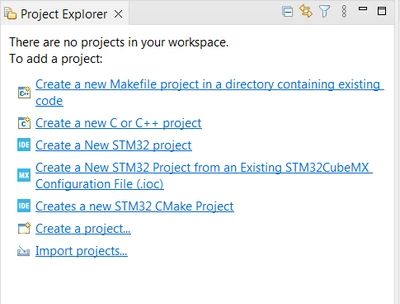
OKhar1_0-1734110750685.png


Best answer by TDK

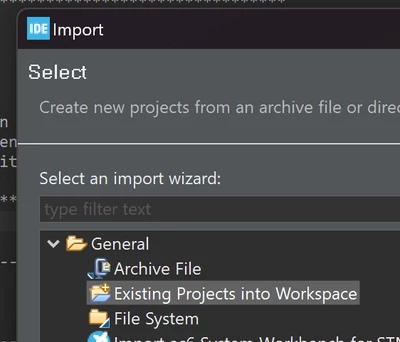
It won't pick them up automatically, you have to import them.

Import -> General -> Existing Projects into Workspace.

TDK_0-1734123159883.png

1 reply

TDK
TDKBest answer
Super User
December 13, 2024

It won't pick them up automatically, you have to import them.

Import -> General -> Existing Projects into Workspace.

TDK_0-1734123159883.png

"If you feel a post has answered your question, please click ""Accept as Solution""."