

Intector
Senior
November 5, 2024
Solved

Problems with NUCLEO-STM32H7S3L8 development

  • November 5, 2024
  • 2 replies
  • 1217 views

Hello,

I have two NUCLEO-STM32H7S3L8 boards and would like to use them to test things for one of my projects. Unfortunately, the documentation is somewhat sparse, and only the absolute necessary is explained. I started with the XIP template to keep things simple, but I'm not able to get it to run on the boards.

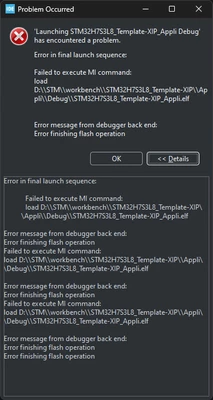
If I start to debug the "Appli" I get this error:
Intector_0-1730772423015.png

I followed the description in AN6101  for the debugger setup, but it doesn't work.

Is there any description of what needs to be downloaded to the MCU and in which order? Also, I got little warning signs on my icons for the "Boot" project and the "ExtMemLoader" project, and nobody can explain what that means.

Can anyone please explain how to get started with the NUCLEO-STM32H7S3L8 board?


Best answer by KDJEM.1

Hello @Intector;


I apologize for my late reply.

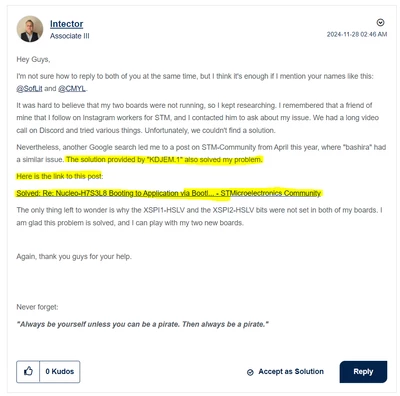
I think the same issue is reported in this post: STM32CubeMX and STM32CubeIDE can't get NUCLEO-H7S3L8 board to work.

And you solved your issue by set XSPI1-HSLV and XSPI2-HSLV.

KDJEM1_0-1734087615269.png


Could you confirm that?


Thank you.

Kaouthar

2 replies

Intector
IntectorAuthor
Senior
November 5, 2024

Hey,

I forgot to attach my test project, but here it is.

KDJEM.1
KDJEM.1Best answer
Technical Moderator
December 13, 2024

Hello @Intector;


I apologize for my late reply.

I think the same issue is reported in this post: STM32CubeMX and STM32CubeIDE can't get NUCLEO-H7S3L8 board to work.

And you solved your issue by set XSPI1-HSLV and XSPI2-HSLV.

KDJEM1_0-1734087615269.png


Could you confirm that?


Thank you.

Kaouthar

To give better visibility on the answered topics, please click on Accept as Solution on the reply which solved your issue or answered your question.
Intector
IntectorAuthor
Senior
January 12, 2025

Hey,

sorry for the delay. Yew this solved my problem.