BArsl.1
Associate
April 23, 2024
Question

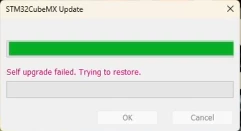
SelfUpgrade Update. Trying to restore.

  • April 23, 2024
  • 3 replies
  • 2033 views

Hello,

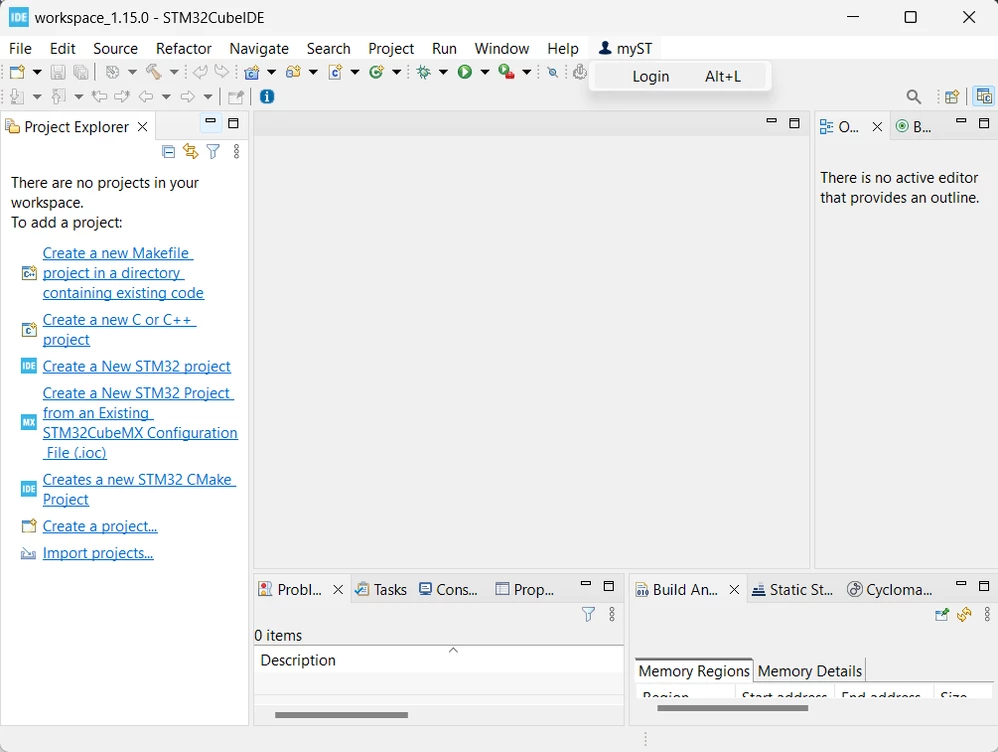
I have an issue when I tried enter myST on STM32CubeIDE 1.15.0 version. Program shows second image and close itself how can I solve this issue? 
login.pngSelfUpgrade Updaate.png

Best regards.

    3 replies

    Technical Moderator
    April 24, 2024

    Hello @BArsl.1,

    Try to put the CubeMX firmware update in offline mode. (Preferences > STM32Cube > Firmware Updater)

    Then, restart STM32CubeIDE.

    Otherwise, please share the crash Report or log from the Console application, for more analysis.

    "When your question is answered, please close this topic by clicking ""Accept as Solution"".ThanksImen"
    Associate
    September 25, 2024

    Hi, 
    I have the same issue and putting firmware update in offline mode doesn't seem to work. How can I get logs from STM32CubeIDE? 
    Best regards

    EDIT: I managed to locate the logs file, could you look into it? 
    EDIT2: Of course after posting a reply, CubeMX suddenly updated itself and CubeIDE works fine... I will leave this reply for people with the same problem, maybe with logs you could find where the problem was. 

    Technical Moderator
    September 26, 2024

    Hi @wiewiór and welcome to the ST Community 

    I share this article that may help Community users to set the network connection for STM32CubeMX and STM32CubeIDE :

    How to set the network connection parameters for S... - STMicroelectronics Community

    "When your question is answered, please close this topic by clicking ""Accept as Solution"".ThanksImen"
    Visitor II
    November 4, 2024

    I have the exact same Problem, but Cubeide closes so fast, that i cant open the preferences to change the Firmware upgrader.
    Reinstallation also did not work.
    WIth old and the newest Software.

    Also the Error Message Window is so fast that i only was able to see the Error with screen recording.

    Explorer II
    January 31, 2025

    I also had this error for a whole week before I managed to fix it.

    The error message goes by so quickly you can't actually see what it says... But when opening CubeIDE, the popup you get is trying to update CubeMX, not CubeIDE.

    I only had to open CubeMX, let it update itself and now CubeIDE doesn't crash anymore.


    TLDR: Open STM32CubeMX to let it update itself, then CubeIDE will be fixed.

    Senior III
    April 29, 2025

    I can confirm this works. I had the issue and updating CubeMX fixed the update of CubeIDE