
STM32Cube IDE 1.16.0 - remove project w content - does not remove folder
If you have imported an project/example to your workspace and you delete it - ticking the box to delete the contents - it does not actually delete the folder. Say you imported the Nx_Network_Basics example
~/STM32CubeIDE$ ll workspace_1.16.0/
total 16
drwxrwxr-x 4 jannek jannek 4096 Aug 19 23:21 ./
drwxrwxr-x 3 jannek jannek 4096 Aug 19 19:20 ../
drwxrwxr-x 3 jannek jannek 4096 Aug 19 19:19 .metadata/
drwxrwxr-x 8 jannek jannek 4096 Aug 19 23:21 Nx_Network_Basics/
You then choose to delete it.
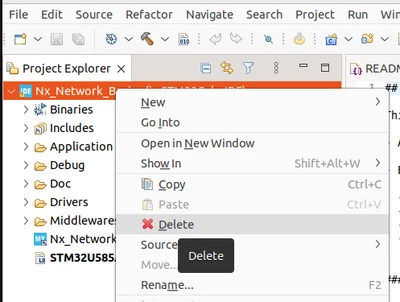
You chose to delete the resources and also projects contents on disk.
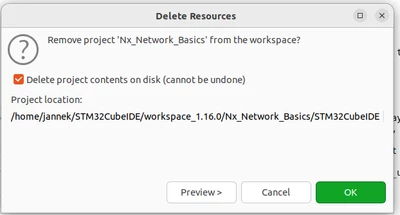
and press OK, you would assume it's all gone - right?
Nope, the folder remains.
This will then prevent successful import of the same project again, as the folder already exists (which is annoying).
You must delete the folder yourself manually.
This is a bug.
- Might be in Eclipse itself.
- Easy fix: link the known issues of STM32Cube IDE with the known issues of Eclipse itself, too?
- Proper fix: delete also the folder.