

STM32CubeIDE on Linux (Wayland, 4K HiDPI) – Blurry UI with X11, but CubeMX fails under Wayland
Hello STM community,
I'm experiencing a UI/UX issue with STM32CubeIDE on my Linux system and would appreciate any insight or workarounds.
My setup:
Distro: Arch Linux
KDE Plasma: 6.4.3
KDE Frameworks: 6.16.0
Qt Version: 6.9.1
Kernel: 6.12.39-1-lts (64-bit)
Graphics Platform: Wayland
Monitor: 4K with 150% scaling
CPU: AMD Ryzen 7 3800X
GPU: AMD Radeon RX 6600
Memory: 16 GiB
Motherboard: Gigabyte B450 AORUS PRO
I installed STM32CubeIDE 1.19.0 using the official generic Linux installer.
To improve compatibility, I’m using a launcher script (stm32cubeide_wayland) like this:
#!/bin/bash
basedir=$(dirname "$BASH_SOURCE")
export GDK_BACKEND=x11
export WEBKIT_DISABLE_COMPOSITING_MODE=1
"$basedir"/stm32cubeide "$@"
This runs CubeIDE under X11, which allows STM32 project creation (CubeMX launches correctly), but the interface is blurry and not crisp on my HiDPI 4K screen.
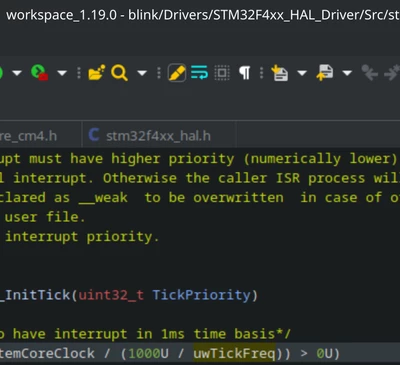
If I instead use:
export GDK_BACKEND=wayland...the UI becomes sharp and scales properly (as expected), but CubeMX fails to launch when trying to create a new project (no MCU or board selection dialog ever appears).
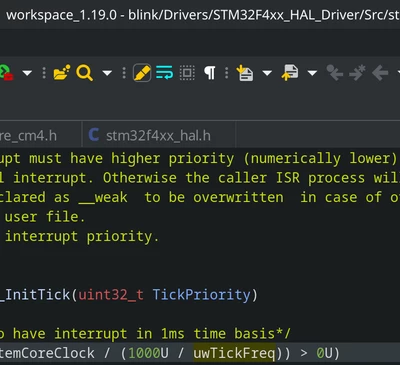
My temporary workaround:
Launch with X11 to create a project and edit the .ioc file..
Close STM32CubeIDE.
Re-launch with Wayland to enjoy crisp UI.
My questions:
Is this a known issue on Wayland in general, or specific to Arch Linux?
Is there any official fix or workaround for HiDPI support that doesn't break CubeMX functionality?
Does STM plan to offer native Wayland support or improved Qt scaling in the future?
Thanks in advance to anyone who has suggestions or experience with this setup!