
Senior III
January 14, 2026
Solved

Unable to change the project name in Cube Ide

  • January 14, 2026
  • 4 replies
  • 379 views

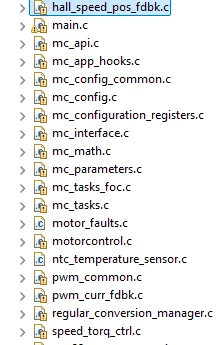
I am unable to change the project name in STM32CubeIde, if i change it 
STuser2_0-1768371987998.png

and try to open it i get error windows cannot find the file. They are all linked files, may be that is causing the issue, what changes i have to do avoid this error. The project is generated using MCSDK and after generation i am trying to change the project name in CubeIde. 

Best answer by Pavel A.

It is very easy. In the CubeIDE right click the project and select Close. Then Delete but do not check the box to delete files.  Rename the project folder if you want. 

Then open the .project file in editor (notepad) and edit the name:

<?xml version="1.0" encoding="UTF-8"?>
<projectDescription>
	<name>SET_NEW_NAME_HERE</name>
	<comment></comment>
............

 Save the file.  Now import the project again into CubeIDE.

Debug and run configurations for the old name need to be re-created manually.


4 replies

Ghofrane GSOURI
Technical Moderator
January 14, 2026

Hello @STuser2 

Thank you for posting.

If your goal is to create another project with a different name:

1- In the file system (Explorer):
Copy the whole MCSDK project root folder to a new folder and rename it 

2- In STM32CubeIDE:

File → Import → Existing Projects into Workspace.

Select the new folder.

THX

Ghofrane


To give better visibility on the answered topics, please click on Accept as Solution on the reply which solved your issue or answered your question.
Ozone
Principal
January 14, 2026

I think ther is no IDE of similiar complexity like Eclipse (CubeIDE) which supports such a project renaming.
The initial project name is also part of subfolders, environment variables and make files created, which would all have to be changed.

The simplest option is to create a new project, and copy all required source over.
And probably delete the old project afterwards.

STuser2Author
Senior III
January 14, 2026

Thank you both for replying, even if copy the entire folder say Proj_One and CubeIde project name is Proj_One_CubeIde to Proj_Two folder and if i open the project by selecting .cproject in cube ide i still see the project name as Proj_One_CubeIde and not the one i want only the folder name is changed not the cube ide project.

The solution provided by @Ozone is the only way, i have not tried but seems to be little complex, if that is the only solution i follow it.


Pavel A.
Pavel A.Best answer
Super User
January 15, 2026

It is very easy. In the CubeIDE right click the project and select Close. Then Delete but do not check the box to delete files.  Rename the project folder if you want. 

Then open the .project file in editor (notepad) and edit the name:

<?xml version="1.0" encoding="UTF-8"?>
<projectDescription>
	<name>SET_NEW_NAME_HERE</name>
	<comment></comment>
............

 Save the file.  Now import the project again into CubeIDE.

Debug and run configurations for the old name need to be re-created manually.


STuser2Author
Senior III
January 15, 2026

Yes it works, thank you and easy as well.