
"Unable to launch" error after stm32cubeide update
Hi all,
I'm having an issue with a pre-existing project. It was initially built a few months ago on version 1.16 of the IDE, and confirmed to be working. I have since updated to stm32cube ide version 2.1, and am having an issue with this project not being able to launch.
The projects builds with zero warnings or errors as expected, but on trying to flash my board I get "Unable to launch. the selection cannot be launched, and there are no recent launches".
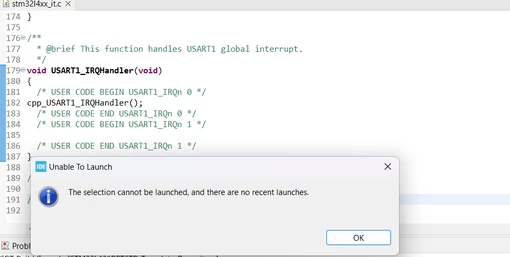
One change I made (that I'm not sure if it is relevant) is updating the GCC flags to inlcude "-Wno-implicit-function-declaration", as it was having trouble finding a C wrapped extern method.
I have seen a previous thread that resolved this issue by using the example importer (Solved: Unable to launch, The selection cannot be launced ... - STMicroelectronics Community), but I want to avoid that to prevent any unintended changed to the current project structure. Additionally, unless I have a misunderstanding as to how the example importer works, I don't want to re-import all of my projects under a different structure if there is an issue with the correct way to import it.
Any guidance much appreciated!
Thank you,
Chris