

Pshar.2
Associate
August 14, 2023
Solved

Updating cube ide manually

  • August 14, 2023
  • 1 reply
  • 5618 views

I have internet access at my office only through a virtual machine.

I'm facing an issue with updating Cube-IDE. Currently, I'm using version 1.11.0 and I want to manually update it to version 1.13.1.

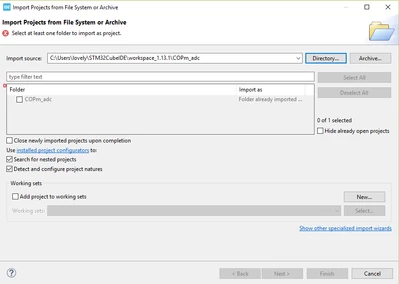
I've downloaded the executable file for version 1.13.1 from the website, but my previous code doesn't seem to open in this updated version.

Could you please guide me on how to connect my existing workspace (workspace_1.11.0) with the new version? Alternatively, if there's an alternative method for manually updating CubeIDE, I'd appreciate the advice.
 
 
version.PNG

 
Best answer by Peter BENSCH

If you have not set the new workspace with "Use this as the default...", you will be asked for the workspace to use every time you start STM32CubeIDE. In any case, you can change the workspace with File > Switch Workspace > Other... to select another workspace whose settings for the IDE will then also be used.

Hope that helps?

Regards
/Peter

1 reply

Peter BENSCH
Peter BENSCHBest answer
Technical Moderator
August 14, 2023

If you have not set the new workspace with "Use this as the default...", you will be asked for the workspace to use every time you start STM32CubeIDE. In any case, you can change the workspace with File > Switch Workspace > Other... to select another workspace whose settings for the IDE will then also be used.

Hope that helps?

Regards
/Peter

Visitor II
July 11, 2025

Thanks