Solved
Why cannot use the open project menu?
When I run STM32CubeIDE, the open project menu is disabled (in grey color). How can I active it?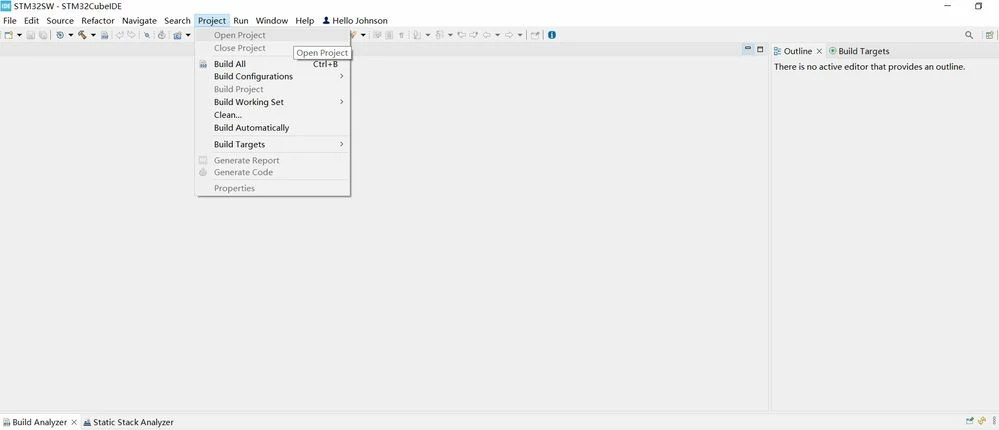

When I run STM32CubeIDE, the open project menu is disabled (in grey color). How can I active it?
You need to highlight the unopened project in the project tree. Then you'll be able to open the project. If you want to work with an existing project that isn't in your project tree, then you need to import the project.
Enter your E-mail address. We'll send you an e-mail with instructions to reset your password.