
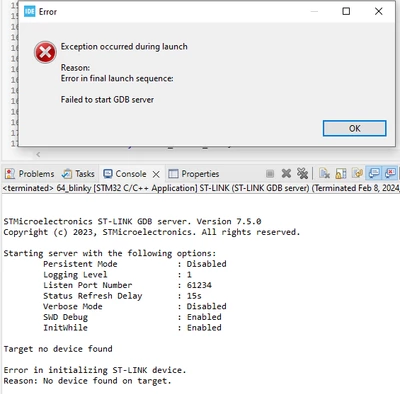
Error in initializing ST-LINK device. No device found on target.
Hi there, I am hoping this forum will be able to help me:
This is my first time using the STM32 Nucleo-64 board (STM32F303RET6) as well as the external ST-LINK/V2 programmer. I just wrote a simple program that turns on the LED but I am having trouble connecting to the board. I am almost positive I have correctly wired the two together (using GND, VDD (3.3V), SWDIO, and SWCLK). I have reinstalled the correct drivers and updated the software. I've tried a few different ways of connecting using recommendations from other forums. These are the errors I've been getting:
From stm32cubeIDE:
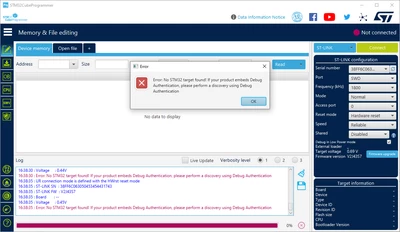
From stm32cubeProgrammer:
From stm32 st-link utility:
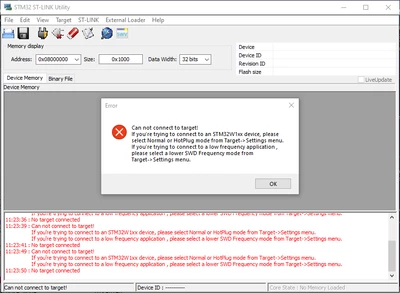
I've tried different frequencies and modes but I still get the same errors.
Weirdly, when I try to connect to the target through the utility application, the st-link lights up green and the stm32 board starts flashing (even though it says it can't connect). Is this normal?
I just need to know how to successfully connect to the board so I can flash my program. Any advice would be appreciated!