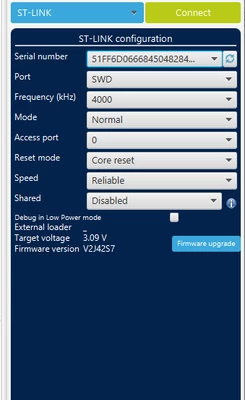
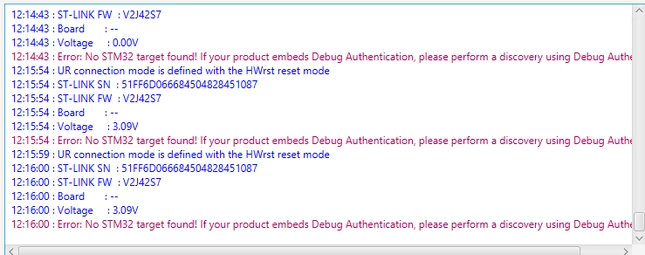
Hi, the problem with connecting to the target MCU can be caused by myriad of possible hardware problems.
One common cause is when the MCU program somehow misconfigures the debug peripheral (most commonly the GPIO used by SWD). It's possible to get out of that state by keeping the MCU under reset manually (by holding the reset button), then clicking "Connect", and then shortly after releasing the reset. Changing the mode to "Under reset" might be necessary. If this doesn't help, you can try doing the same, but disconnect the power to the target MCU, hold the reset button, connect the power while holding the MCU under reset, then click "Connect", then release the reset. Once connected, perform a mass erase of the flash. If you were able to connect to the board previously, this is the likely issue.
Other possible causes can be shorts or bad connections (use multimeter continuity check to see whether any of the pins are shorted together and use diode tester to see whether the revers polarity protection diodes can be measured between the programming connector pins and the ground), damaged MCU, bad orientation of the chip, multiple ST-Link probes being connected to PC and having selected the wrong one, and myriad of other reasons.