
Regarding RDP regression with password in STM32U0 CPU via STM32Cube programmer
Hi teams,
Board: Nucleo-U083RC
CPU: STM32U083R
Today, I faced a problem with my new board while performing RDP regression using the STM32 Cube programmer.
The condition of the board prior to the issue,
* Option bytes value: At default level.
* Flash data: Default data [LED sample].
Step that I followed,
1.Initially, I have configured the OEM1 key values with a password, resulting in the transition of the OEM lock bit status from "not active" to "active".

2. I then configured only the RDP level in the Option bytes tab, changing it from Level 0[0xAA] to Level 1[0xBB], while the other OB values remained in their default state.
3. I disconnected the programmer and subsequently reconnected it, allowing the changes to be reflected shortly thereafter.
4. To perform the regression in the STM32Cube programmer, I adhered to the procedures outlined in UM2237 User Manual [section: 2.9.2 RDP regression with password].
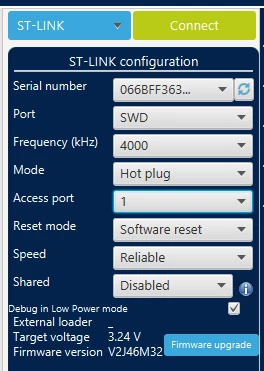
4.1. STM programmer connection settings
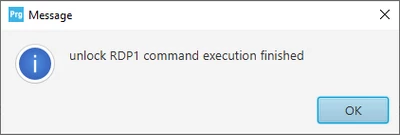
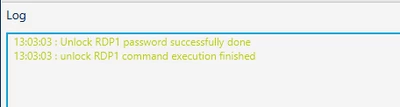
4.2. I have written the OEM1 password and pressed on "unlock RDP" button“
The following status was observed
4.3. Changed the Option bytes values [ changed the RDP level to 0], and performed OB write by "apply" button
4.4. The following error was noticed
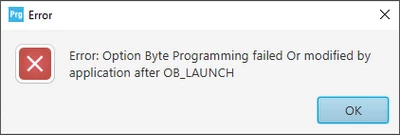
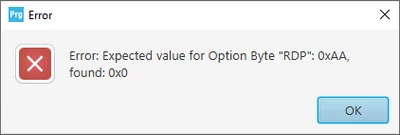
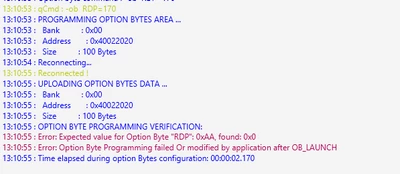
Questions:
1) Should I modify any settings of STM32 programmer prior to connecting the target, aside from those specified procedures which is specified in section 4.1 of the STM programmer connection settings?
2) In the UM2237 User Manual [section: 2.9.2 RDP regression with password], it states, "write the OEM1 password, and press the 'RDP regression' button," yet there was no 'RDP regression' button available. Does this imply that 'Unlock RDP 1' is meant instead?
3) When the target is connected in hotplug mode on access port 1, the OB data was not read, and everything was recorded as 0. Therefore, I believe this is the cause of the OB write failure.
Is this a bug, or did I execute the RDP regression incorrectly?

4) Even if I enter an incorrect OEM1 password, the operation still succeeds, indicating that "Unlock RDP password successfully done." Does it not verify whether the provided password matches or not?