FarukSozuer
Associate III
November 28, 2019
Solved

STM32H747 Discovery Kit Not Debug/Programmer

  • November 28, 2019
  • 3 replies
  • 7333 views

Hello;

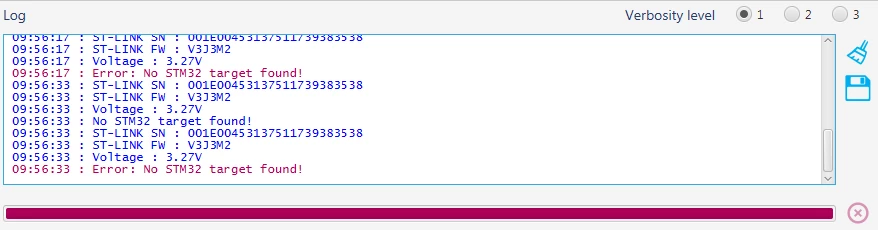
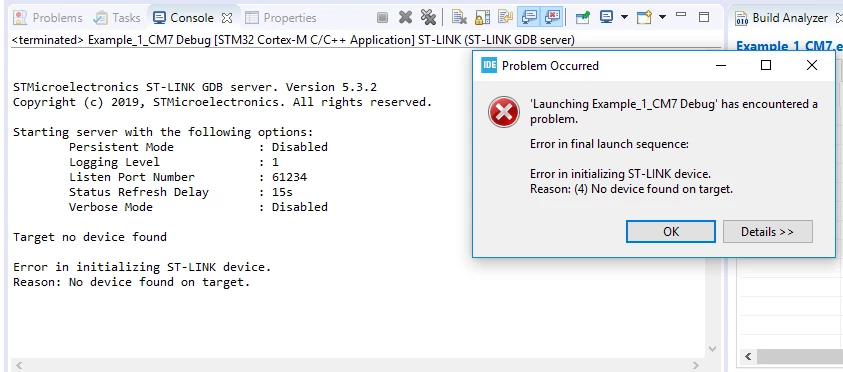
I can't program and debug with the STM32H747 Discovery kit. I tried Stm32cubeProgrammer and STM32CubeIDE for this. Below are the errors I have received in both.

0690X00000AsYXWQA3.png

0690X00000AsYXgQAN.png

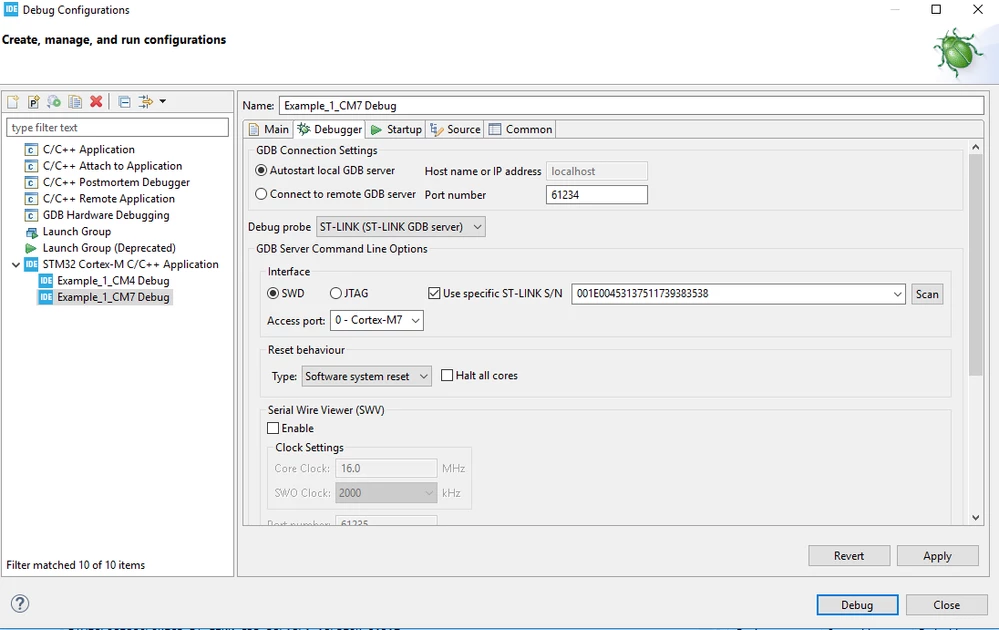
Debug configuration screen is below;

0690X00000AsYXqQAN.png

STLink Serial number appears, but I can't understand why it can't program it?

Sincelery

This topic has been closed for replies.
Best answer by Tesla DeLorean

If you've screwed up the LDO/SMPS and/or VOS settings it will brick the board.

The recovery method in that case is to solder a link on the BOOT0 pin so it is high. Then cycle the board power completely (remove all connections/power sources) several times, until you can connect.

Check you can connect with STM32 Cube Programmer or ST-LINK Utilities, and then Mass Erase your code from flash.

On the H747I-DISCO I had, access to BOOT0 was via a small resistor pad (R192) under the screen. You'll need to check docs for current board to confirm.

Then, once recovered, stop putting code with broken settings on it, or provide secondary methods to stop the clock/system configuration code running.


3 replies

Ozone
Principal
November 28, 2019

Perhaps your target device refuses to cooperate, because it goes into a sleep mode or has re-assigned the JTAG pins at runtime.

Try a mass-erase from the system bootloader mode.

Markus GIRDLAND
ST Employee
November 28, 2019

I recently created this document to show how to get started with a H7 debug session, including how to set up the debug confgurations for both cores.

Check it out and see if it helps you get up and running.

FarukSozuer
Associate III
November 28, 2019

Hello @Markus GIRDLAND (ST Employee)​ 

The result has not changed, although I have implemented the document step by step. I updated to see if there is a problem with the STLINK version. But the result did not change again. 

Version information is below;

0690X00000AsZAOQA3.png

In addition 2 of 4 discovery boards are in this case.

Sincelery

FarukSozuer
Associate III
November 28, 2019

Hello @Markus GIRDLAND​ 

The result has not changed, although I have implemented the document step by step. I updated to see if there is a problem with the STLINK version. But the result did not change again.

Version information is below;

0690X00000AsZAOQA3.png

Sincelery

Markus GIRDLAND
ST Employee
November 28, 2019

And you can't connect through STM32CubeProgrammer either? Then I would check power/cabling and make sure your computer can detect that the board is connected, I don't believe it's CubeIDE related more likely board/HW related.

It might be in low power mode as well, then it could help to "connect under reset" through either CubeIDE or CubeProgrammer.